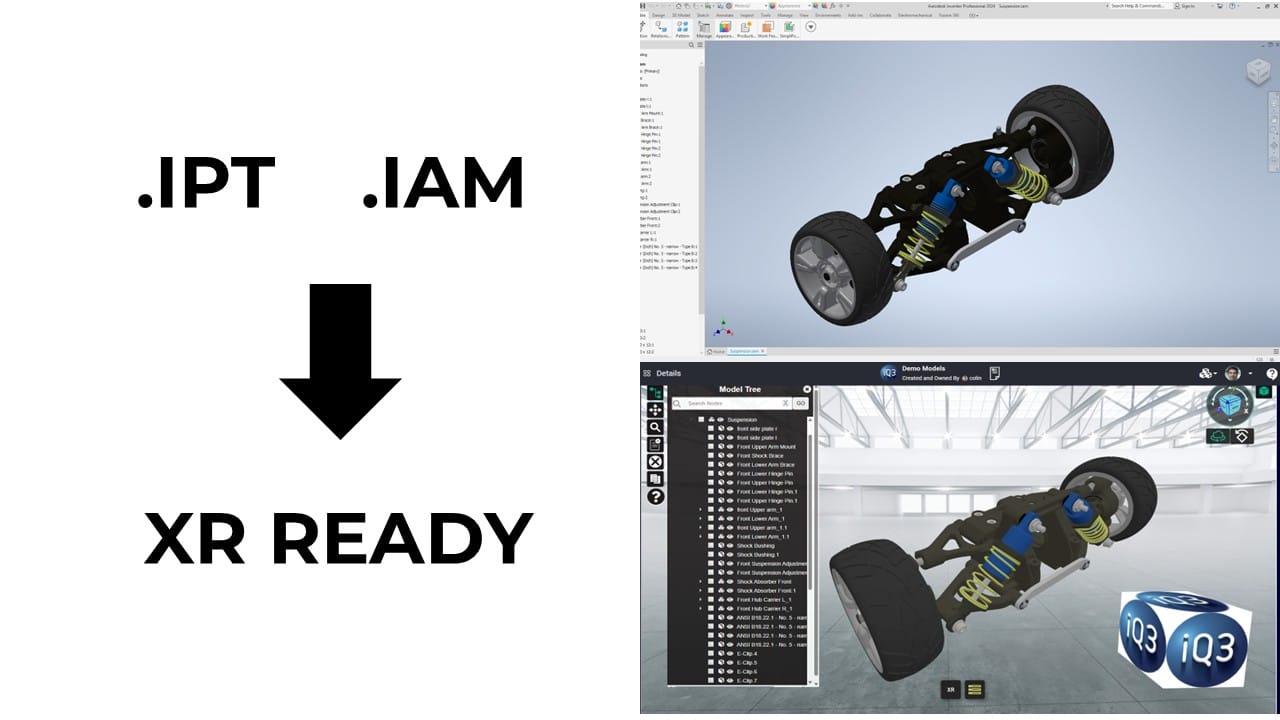
From Autodesk Inventor to XR Experiences: Simplifying 3D Collaboration and Immersive Training Creation with CAD data

In today’s manufacturing and engineering environments, teams rely heavily on detailed 3D models to bring ideas to life. Autodesk Inventor, a widely used tool for mechanical design and simulation, plays a crucial role in this workflow. But as teams grow more distributed and training needs accelerate, traditional CAD tools and file formats are no longer enough.


IQ3Connect bridges this gap by enabling seamless transformation of Autodesk Inventor designs into fully immersive XR experiences—without the need for custom programming or game engine development. Whether your goal is immersive training, design review, or real-time collaboration, IQ3Connect helps your team unlock the full value of your 3D data.


Eliminate Bottlenecks in CAD-to-XR Conversion

Historically, converting Inventor files into an XR environment required a complex and time-consuming process—exporting to intermediate formats, cleaning up geometry, importing into a game engine, and building custom interactions. This process often took weeks and required specialized 3D and XR development skills.


IQ3Connect eliminates this bottleneck by supporting direct import of Inventor-compatible files (such as STEP or neutral CAD formats) and offering a no-code XR experience creation platform. This allows engineers, designers, and trainers to bypass game engines entirely and get from concept to immersive training module in a fraction of the time.


Reuse Your Inventor Models for More Than Just Design

Your 3D models are more than just visual references—they’re assets that can drive collaboration, innovation, and learning.

With IQ3Connect, teams can:

  • Reuse Inventor models in virtual training simulations

  • Conduct design reviews in immersive environments

  • Enable multi-user collaboration across geographies

  • Scale training across roles and locations using web-based XR

Because IQ3Connect is web-native, there’s no need to install software or rely on high-end hardware. Training and collaboration sessions can be launched from a browser on desktops, laptops, or XR headsets.


Rapid, Scalable XR Training—Build with CAD No Code Required

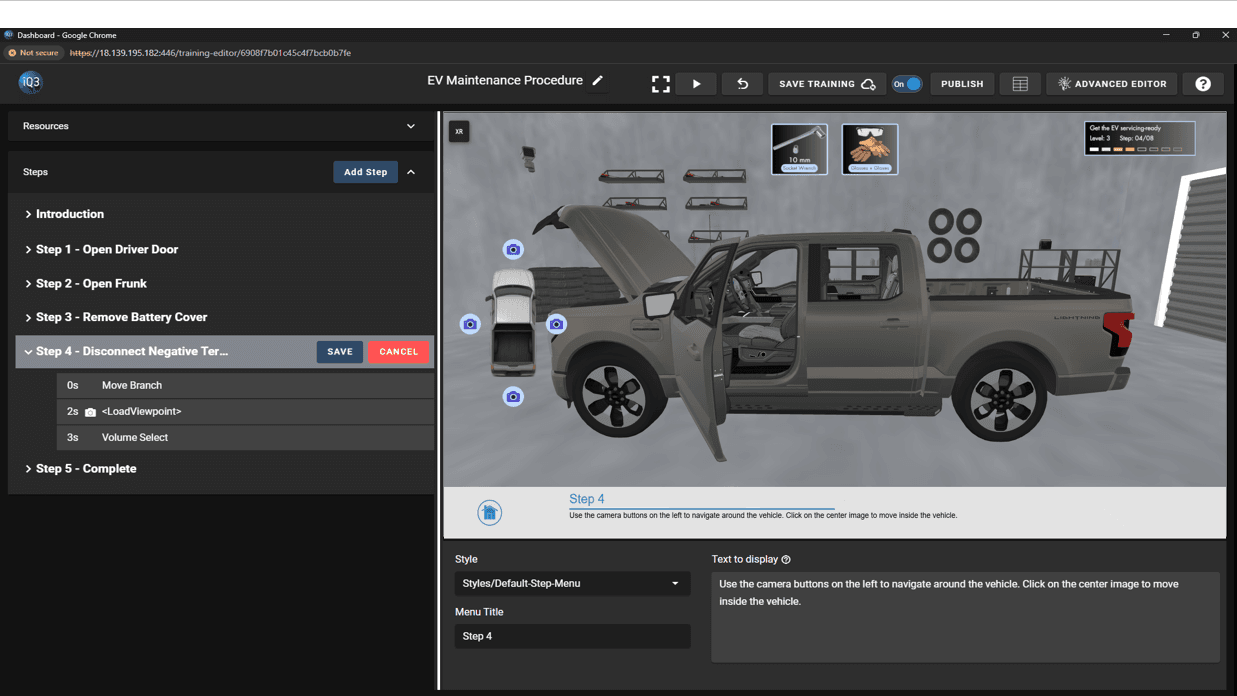
IQ3Connect’s no-code interface allows subject matter experts to build immersive training workflows directly from their Inventor models. These workflows can include guided instruction, interactive tasks, and real-time assessments—making it easy to train technicians, operators, and engineers in a hands-on virtual environment.

Updates to Inventor designs? No problem. The platform allows you to easily update the underlying model while preserving your training logic and scene configuration.


One Platform for XR Design Reviews and Training

Whether you’re performing a design validation session or building scalable training for your global workforce, IQ3Connect provides one unified platform that leverages your Inventor models across use cases.

  • Reduce training costs by reusing CAD assets

  • Accelerate time-to-productivity with on-demand immersive learning

  • Improve team collaboration through shared, interactive 3D environments


Final Thoughts

Autodesk Inventor is a powerful tool for mechanical design—but its value doesn’t have to stop at the design phase. By connecting Inventor to IQ3Connect, you can extend the lifecycle of your 3D models into collaborative and immersive experiences that drive efficiency, learning, and innovation.


Transform your Inventor data into interactive XR experiences with IQ3Connect—no code, no delays, no compromise.
E-Learning vs. Immersive Learning: Choosing the Right Training Solution

E-Learning vs. Immersive Learning: Choosing the Right Training Solution

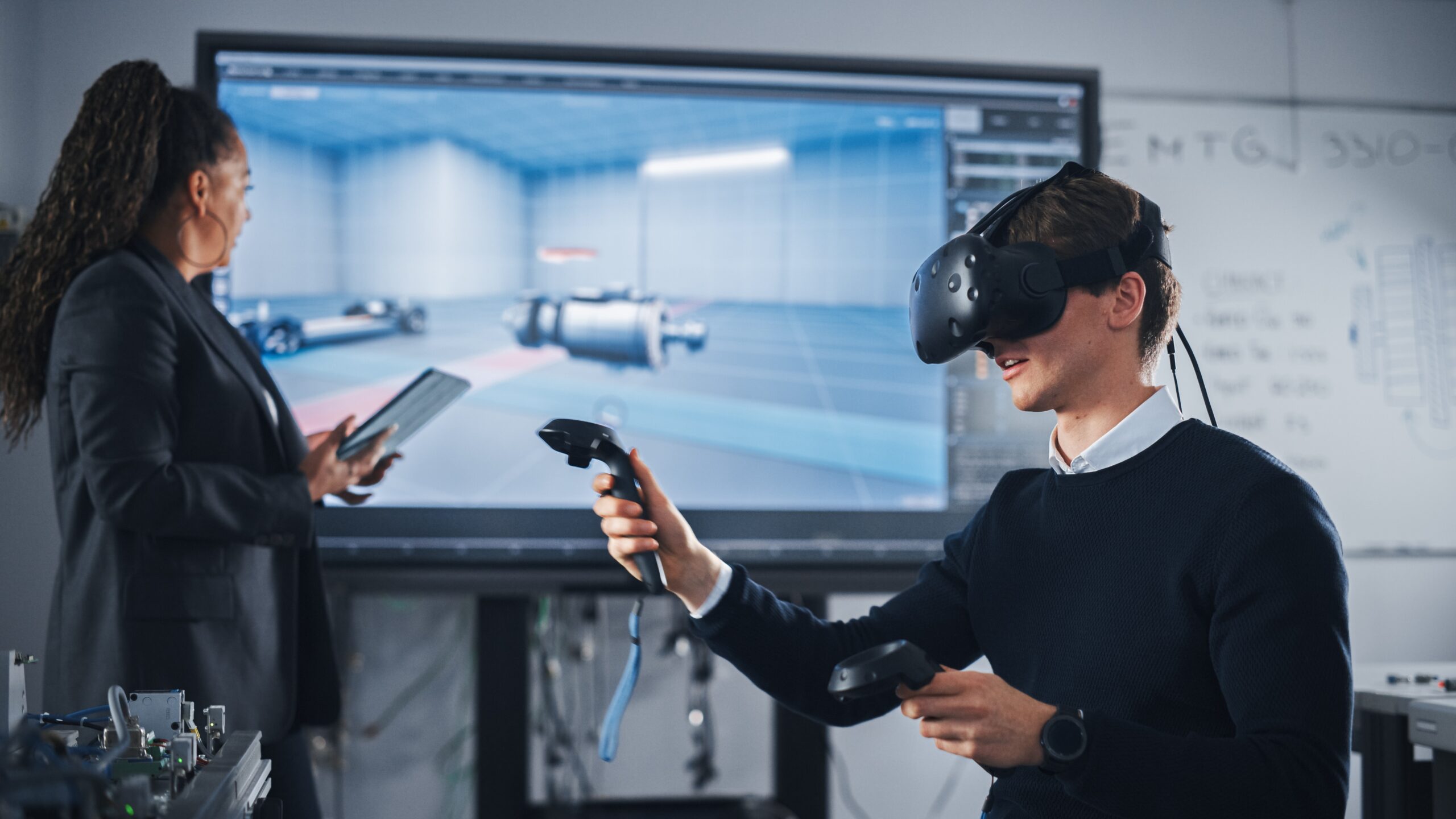
In today’s rapidly evolving industrial and enterprise environment, organizations must choose training solutions that effectively build workforce skills, improve safety, and support long-term operational readiness. While traditional e-learning remains a foundational training method, immersive learning—powered by VR, AR, and 3D simulations—has emerged as a transformative alternative.

This guide compares both approaches and explains how iQ3Connect elevates immersive learning with SCORM-compatible, browser-based XR training that seamlessly integrates into your existing LMS.


What Is E-Learning?

E-learning refers to structured online learning delivered through digital content such as videos, quizzes, exercises, and self-paced modules. It enables employees to access training anywhere, anytime, making it ideal for distributed teams.

Common E-Learning Formats

  • Webinars and live virtual classrooms
  • MOOCs and large-scale online courses
  • Custom training modules for company-specific processes
  • Compliance, HR, and onboarding content


Benefits of E-Learning

1. High Accessibility

Employees can access training from any location or device, ensuring flexibility for global or remote teams.

2. Cost Efficiency

E-learning eliminates travel, facility, and instructor fees, lowering the overall training budget.

3. Wide Content Availability

Organizations can select from extensive content libraries covering technical, managerial, and compliance training.


Challenges of E-Learning

  • Limited hands-on practice and real-world skill transfer
  • Lower engagement due to passive content formats
  • Difficult to assess practical, skills-based competencies
  • Self-paced training often leads to low completion rates
  • Not effective for safety or equipment-based training

These limitations have accelerated the adoption of immersive, simulation-based training. :contentReference[oaicite:2]{index=2}


What Is Immersive Learning?

Immersive learning uses VR, AR, and 3D interactive simulations to place learners inside realistic, experiential environments. This approach is ideal for technical, hands-on, and safety-critical roles where real-world practice is limited or risky.

Where Immersive Learning Excels

  • Equipment operation and maintenance
  • Workplace hazard identification and safety training
  • Emergency and high-risk scenario simulations
  • Procedural training and workflow guidance
  • Team collaboration and interactive group activities


Benefits of Immersive Learning

1. Higher Engagement

Immersive environments capture attention, improving retention and learning outcomes.

2. Practical Hands-On Skills

Learners safely practice real tasks, develop muscle memory, and build confidence without risking equipment or safety.

3. Increased Motivation

Realistic scenarios and interactive simulations make training more enjoyable and meaningful.

4. Safer and More Effective Safety Training

Critical and hazardous scenarios can be simulated repeatedly without real-world danger.

5. Scalable Across Teams and Locations

Immersive modules can be deployed globally, reused at scale, and accessed at any time.

6. Enhanced Team Collaboration

Multi-user virtual environments support shared training sessions, communication, and team problem-solving.


How iQ3Connect Enhances Immersive Learning

iQ3Connect delivers immersive learning through a web-based, no-code XR platform—eliminating the need for complex installations, specialized hardware, or technical expertise. Everything runs directly in the browser. :contentReference[oaicite:5]{index=5}

1. No-Code Content Creation

Anyone can build immersive VR/AR training experiences by uploading documents, images, videos, 3D models, quizzes, or guided workflows.

2. Realistic Safety and Technical Training

Create interactive simulations of industrial environments, equipment, and emergency scenarios—all with assessment tools built in.

3. Remote Collaboration at Scale

Host multi-user XR sessions with 50+ simultaneous participants via a simple shareable link.

4. Device Compatibility

Learners access XR content on laptops, desktops, mobile devices, or VR headsets—all via a standard web browser.

5. Seamless Integration of Existing Assets

Convert existing PDFs, videos, manuals, and 3D files into immersive, interactive XR training modules.


SCORM Integration with Your Existing LMS

One of the greatest strengths of iQ3Connect’s immersive learning platform is its compatibility with existing enterprise learning ecosystems. The platform supports full SCORM 1.2 and SCORM 2004 integration, allowing organizations to deploy web-based VR/AR content directly within their Learning Management System.


How SCORM Integration Works

  • Export XR training as SCORM packages for upload into any SCORM-compliant LMS
  • Track learner progress including completion, quiz scores, interactions, and duration
  • Launch immersive simulations from the LMS with no installation required
  • Standardized reporting using familiar LMS analytics dashboards
  • Centralized training management for both e-learning and immersive modules

The result is a seamless blend of traditional e-learning and immersive XR experiences—managed, delivered, and tracked through the same LMS your organization already uses.


Benefits of SCORM-Enabled Immersive Learning

  • Consistent learner tracking across all training formats
  • Reduced administrative overhead
  • Unified reporting and analytics
  • Easy integration with existing onboarding, compliance, and safety workflows
  • Fast deployment with minimal IT involvement

SCORM integration ensures that immersive learning is not a standalone tool—it becomes a powerful extension of your established training ecosystem.


E-Learning vs. Immersive Learning: Which Should You Choose?

Training MethodBest ForLimitations
E-LearningTheory, compliance, soft skills, general knowledgeLower engagement, limited hands-on practice
Immersive LearningTechnical skills, safety, equipment use, collaborationRequires 3D content (simplified with iQ3Connect’s no-code tools)

The most effective approach blends the two: e-learning for foundational knowledge and immersive learning for hands-on practice.


Conclusion

E-learning and immersive learning each offer valuable benefits for workforce development. However, immersive learning delivers unparalleled realism, engagement, and practical skills—especially for industrial and safety-critical environments.


With iQ3Connect’s browser-based XR platform and SCORM integration, organizations can easily bring immersive training into their existing LMS ecosystem, enabling scalable, effective training that drives real operational impact. 

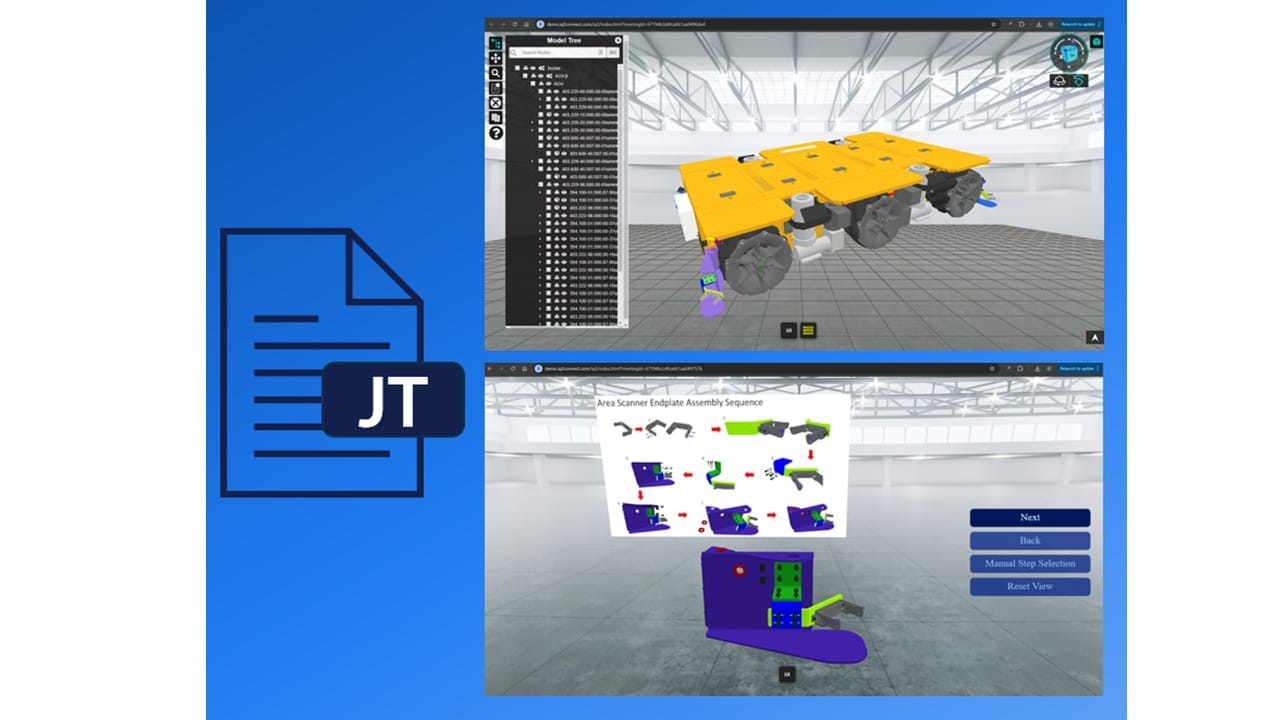
Build VR and AR Training with CAD Models—Streamline Your JT to XR Workflow

Streamlining VR & AR Training With JT File Support in iQ3Connect

iQ3Connect support for JT files significantly streamlines the process for bringing 3D CAD designs into immersive experiences, whether for real-time collaboration, training, and experience creation. By using this lightweight file format, the CAD-to-XR pipeline, from model export, to data transfer and processing, can be reduced from hours to minutes.


JT files can be exported from most CAD systems such as Siemens NX, Autodesk Inventor, PTC Creo, and Product Lifecycle Management systems such as Siemens Teamcenter.


Key Advantages of JT Files in the CAD-to-XR Workflow

1. Rapid, Automated CAD-to-XR Pipeline
With iQ3Connect’s JT file support, you can import large, complex CAD assemblies into virtual reality or augmented reality in just minutes. Benchmark results show:

  • JT files with 10 million polygons: Import into XR in under 30 seconds.

  • JT files with 100 million polygons: Ready for immersive training in under 10 minutes.

2. Custom Level of Detail for Every Use Case
iQ3Connect lets you define quality settings for each part or assembly. Whether you need high-fidelity visualization for engineering reviews or lightweight models for VR training, JT files support precise optimization.

3. Lightweight & Efficient Data Handling
JT files are specifically designed for efficient data sharing and management, making them perfect for large assemblies and distributed teams. They maintain essential manufacturing information and hierarchy while minimizing file size.

4. Versatile Visualization & Collaboration
Use JT files in iQ3Connect for high-accuracy engineering visualization or optimize for fast, interactive training experiences. The flexibility makes them valuable for manufacturing, automotive, aerospace, and beyond.


Why Use JT Files for VR and AR Training?

So, what are JT files? .JT (Jupiter Tessellation) is an openly-published ISO-standardized 3D data format for visualization and collaboration. JT files are used across industries such as manufacturing, automotive, and aerospace for data exchange, supplier collaboration, and long-term data retention. They encapsulate intricate geometric details and metadata, including geometry, color, and material properties, while maintaining a lightweight structure.


How iQ3Connect Simplifies JT to XR Training Creation

By supporting JT files, iQ3Connect enables:

  • One-click import of CAD models for VR and AR training or real-time collaboration

  • Faster CAD-to-XR conversion with minimal manual processing

  • Seamless sharing and review of complex engineering data in immersive environments


Start building your next immersive training or collaboration project with iQ3Connect and JT files—unlock new levels of efficiency, accuracy, and engagement for your team.


Upload your JT files and start creating XR experiences today!

Icon

Form Submitted!

Thanks for submitting the form. An iQ3Connect representative will be reaching out to you shortly. In the meantime, please feel free to review some of our resources below.

Icon

Form Submitted!

Thanks for submitting the form. An iQ3Connect representative will be reaching out to you shortly. In the meantime, please feel free to review some of our resources below.

Icon

Form Submitted!

Thanks for submitting the form. An iQ3Connect representative will be reaching out to you shortly. In the meantime, please feel free to review some of our resources below.

Icon

Form Submitted!

Thanks for submitting the form. An iQ3Connect representative will be reaching out to you shortly. In the meantime, please feel free to review some of our resources below.