Accelerating XR Training Development with Gaussian Splatting and iQ3Connect

Background

Organizations face increasing pressure to deliver high-quality, scalable training that accurately represents complex equipment, facilities, and workflows. Yet the creation of 3D training content traditionally requires CAD models, laser scanning, or extensive manual modeling—processes that are slow, costly, and constrained by data availability.


Gaussian Splatting fundamentally changes this paradigm.


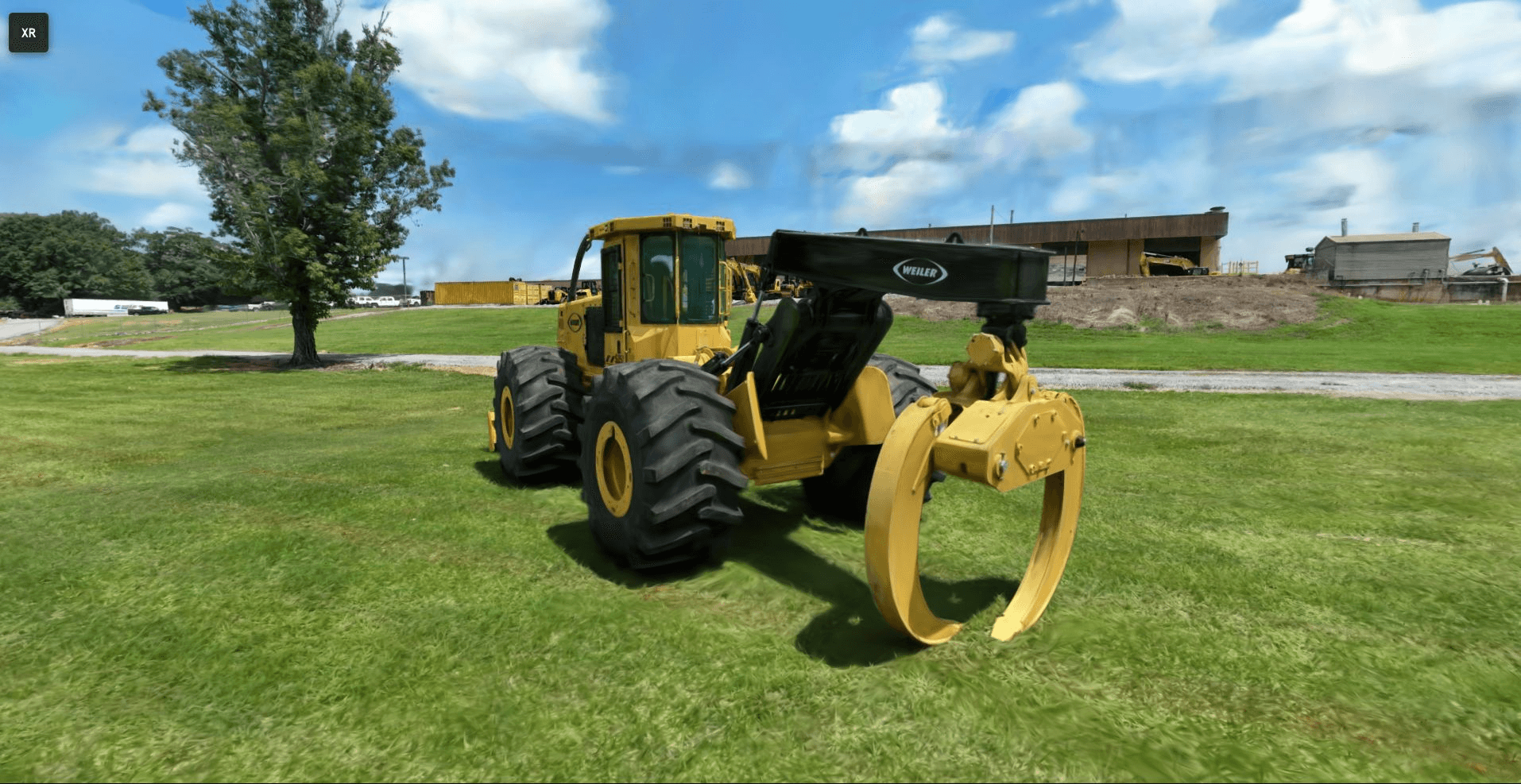
iQ3Connect now provides full support for Gaussian Splatting within our browser-based, enterprise XR platform, enabling creation of immersive training environments from simple photos or video. The result is a significant reduction in content development time, faster deployment of workforce training programs, and broader access to real-world operational knowledge.


What is Gaussian Splatting?

Gaussian Splatting is an advanced 3D reconstruction technique that converts standard images or video into a photorealistic, spatially accurate scene representation. Unlike mesh-based or voxel-based approaches, Gaussian Splats are computationally efficient, streamable, and exceptionally lightweight—making them ideal for real-time XR applications.

Key benefits include:

  • High fidelity reconstruction of real environments

  • Minimal capture requirements (standard mobile or video cameras)

  • Lower cost and faster turnaround compared to LiDAR or manual modeling

  • Immediate web and XR compatibility when processed in iQ3Connect

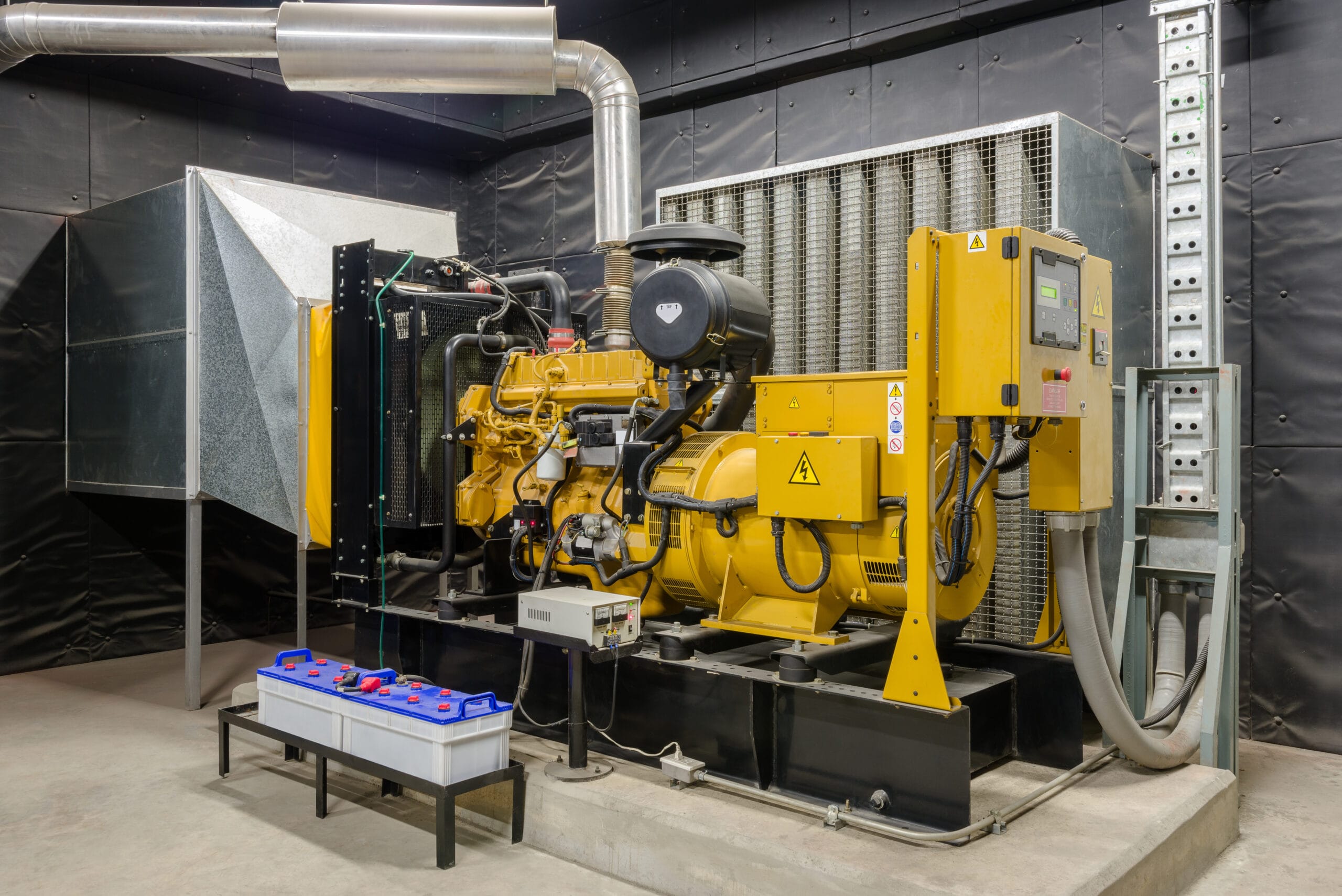
For training leaders, this capability unlocks rapid digitization of equipment, facilities, and processes—even when CAD data is unavailable or restricted.


Enterprise Training Advantages

✔ Accelerated Digitization of Equipment & Facilities

Capture real-world environments using only standard photography or video. No CAD, LiDAR, or modeling expertise required.


✔ Reduce Dependence on Engineering Data

Gaussian Splats provide a reliable alternative when CAD data is missing, outdated, proprietary, or too large for XR deployment.


✔ Integrate Multiple Data Modalities

iQ3Connect enables seamless combination of:

  • Gaussian Splats

  • CAD models

  • Point clouds (e.g., LAS, E57)

  • 360° images and videos

  • Operational documents (PDFs, videos, SOPs)

This creates a comprehensive, context-rich training environment.


✔ Streamlined Multi-Device Deployment

All Gaussian Splats processed in iQ3Connect are optimized for:

  • VR headsets

  • AR devices

  • Web browsers

  • Mobile and tablet

No local installation, plugins, or large downloads are required.


Common Tools for Creating Gaussian Splats Compatible with iQ3Connect

Several open-source and commercial tools generate splat formats (e.g., .ply, .splat) that can be imported directly into iQ3Connect. Common creation tools include:


1. Nerfstudio (with Gaussian Splatting pipelines)

An extensible framework that supports Gaussian Splat reconstruction from photo sets or video sequences.

  • Ideal for: High-quality reconstructions and research workflows

  • Output: .ply, .splat


2. Gaussian Splat Studio

A user-friendly application for generating splats from images or video with minimal setup.

  • Ideal for: Quick conversions and operational teams without ML expertise

  • Output: .splat


3. SplaTAM

A real-time SLAM-based Gaussian Splatting tool—excellent for capturing environments with a moving camera.

  • Ideal for: Handheld/mobile scanning, fast field capture

  • Output: .splat, .ply


4. Luma AI (NeRF-based with export options)

While primarily focused on NeRFs, Luma’s capture tools can be used as input for splat conversion workflows.

  • Ideal for: Smartphone-based capture with cloud processing


5. DotSplat and Mobile Splat Tools

Lightweight mobile pipelines emerging from open-source communities that export splat-compatible point clouds.


Here are three paid tools for creating 3D Gaussian splats (i.e., using the Gaussian Splatting technique) :


1. KIRI Engine

A mobile & web cloud-based 3D capture app that supports Gaussian splatting (“3DGS”) plus mesh export. Offers editing, masking, and export to formats like OBJ, GLTF, PLY. Paid subscription required for full 3DGS feature. 


2. Postshot

A desktop application (Windows) for processing captures into Gaussian splats locally (no cloud), with live preview/training, full control over data and export into 3D workflows. Best for users with suitable GPU. Paid version.


3. Splatware

Splatware: A cloud platform built for professionals and teams to generate, edit, animate, host and export Gaussian splatting 3D models, including hosting/sharing and marketplace options. Has tiered paid plans (Free → Pro → Enterprise).


All of the formats produced by these tools can be processed through the iQ3Connect 3D Importer and converted into XR-ready assets.


Technical Workflow: Importing Gaussian Splats into iQ3Connect

iQ3Connect streamlines the process of converting Gaussian Splats into optimized training-ready scenes.


1. Capture the Environment

Use photos, video, or drone footage. Ensure:

  • Adequate coverage around the subject

  • Consistent lighting where possible

  • Sufficient overlap between frames


2. Generate the Gaussian Splat

Process the captured media using one of the tools listed above. Export in .splat, .ksplat or .ply format.


3. Import into the iQ3Connect 3D Importer

Inside the platform:

  1. Open 3D Import

  2. Select Add Model

  3. Upload the Gaussian Splat file

The system automatically optimizes the file for real-time rendering and cross-device compatibility.


4. Convert to an XR-Ready Model

iQ3Connect performs:

  • Level-of-detail (LOD) optimization

  • Rendering performance adjustments

  • Spatial scaling/normalization

  • Single-click XR preparation

The result is a splat that performs efficiently even in multi-user XR sessions.


5. Build a Rich Training Environment

Within the iQ3Connect Workspace, teams can combine the splat with:

  • Engineering CAD

  • LiDAR point clouds

  • Workflow steps and procedures

  • Media assets (PDF, video, 360° images)

  • Labels, markers, and hotspots

  • Guided training modules and assessments

This flexibility allows training developers to replicate a complete operational environment—not just a single asset.


6. Deploy to the Workforce

Publish your training or collaboration session and access it across:

  • VR and AR devices

  • PC and laptop browsers

  • Tablets and smartphones

All with no software installation.


Experience Gaussian Splats in iQ3Connect

Explore a live Gaussian Splat example in your browser. Use the WASD and mouse to navigate in the 3D space. Share the link with your colleagues to meet in realtime in the collaborative workspace.


👉 Live Experience


Looking Ahead

iQ3Connect will continue to expand support for Gaussian Splats, including advanced editing, annotation, and automated training authoring capabilities. Future examples will highlight real-world applications across manufacturing, energy, aerospace, pharmaceuticals, and other sectors requiring high-fidelity training environments.


Explore How Gaussian Splats Can Modernize Your Training Workflow


👉 Request a customized demo
👉 Evaluate integration with your existing content pipeline
👉 Begin creating XR training content in minutes—not weeks

Case Study: Immersive VR Digital Prototyping for Industrial Equipment Manufacturers

Overview

A leading industrial equipment manufacturer, specializing in engineered solutions for sectors like compressed air, vacuum, and assembly systems, sought to accelerate product development while reducing costly design iterations. With increasing pressure to deliver high-quality, customized solutions faster, the company leveraged iQ3Connect’s immersive XR platform to transform its digital prototyping workflow.


Industry Challenge

In industrial manufacturing, the stakes are high:

  • Complex assemblies and machinery require robust cross-functional reviews.

  • Physical prototyping is expensive and time-consuming.

  • Missed design issues can result in costly rework, delayed launches, and dissatisfied customers.

  • Effective collaboration between engineering, service, and production is often limited by geography and siloed processes.


Solution: iQ3Connect Immersive Prototyping

By adopting iQ3Connect’s XR platform, the manufacturer enabled its teams to:

  • Instantly upload and visualize 3D CAD assemblies (JT, STEP, etc.) in a shared, interactive XR environment.

  • Perform detailed assembly and service reviews virtually, including for large and heavy equipment that’s difficult to access physically.

  • Empower engineering, service, and manufacturing teams to collaborate in real time, whether on-site or remote, using either untethered or tethered VR headsets.

  • Rapidly identify and address design flaws early in the product lifecycle, before any physical prototype is produced.


Business Outcomes

  • Accelerated Time-to-Market:
    Teams quickly iterated on virtual prototypes, making design changes in days—not weeks—resulting in faster NPD (new product development) cycles.

  • Higher Design Quality and Fewer Errors:
    Immersive reviews allowed stakeholders to “walk through” complex machinery, ensuring issues are caught and resolved early.

  • Enhanced Collaboration:
    Cross-disciplinary teams—including engineering, production, and after-sales—could participate in reviews regardless of location, fostering alignment and knowledge transfer.

  • Cost Savings:
    Early digital detection of flaws significantly reduced the need for multiple physical prototypes and associated rework costs.

  • Easy Integration:
    No specialized coding or new CAD workflows—just upload and go, fully compatible with existing digital assets and IT environments.


Implementation Insights

  • The platform is browser-based and runs securely on company servers, supporting enterprise IT policies and data security requirements.

  • Compatible with industry-standard VR headsets, it works in both wireless and tethered modes for flexibility in factory or office settings.

  • The intuitive interface enabled fast onboarding for both engineering teams and field service reviewers.


Scaling Digital Innovation

After seeing measurable success in initial pilots—improved agility, deeper reviews, and tangible cost reductions—the company is expanding immersive prototyping across more projects and business units. The result? A more competitive, agile, and customer-responsive organization, ready to lead in the evolving industrial landscape.


Are you an industrial equipment manufacturer seeking to modernize your product development? Discover how iQ3Connect can help you accelerate innovation, reduce costs, and deliver higher-value solutions—contact us today for a tailored demo.

Build VR and AR Training with CAD Models—Streamline Your JT to XR Workflow

Streamlining VR & AR Training With JT File Support in iQ3Connect

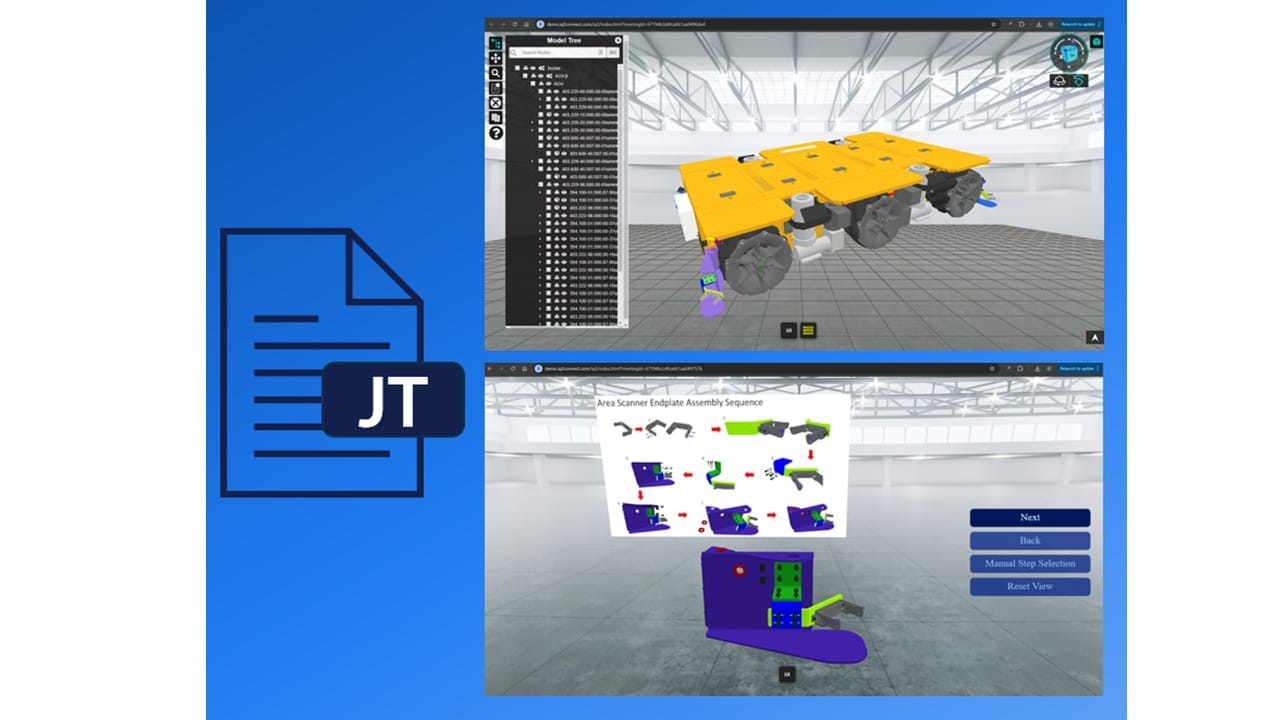
iQ3Connect support for JT files significantly streamlines the process for bringing 3D CAD designs into immersive experiences, whether for real-time collaboration, training, and experience creation. By using this lightweight file format, the CAD-to-XR pipeline, from model export, to data transfer and processing, can be reduced from hours to minutes.


JT files can be exported from most CAD systems such as Siemens NX, Autodesk Inventor, PTC Creo, and Product Lifecycle Management systems such as Siemens Teamcenter.


Key Advantages of JT Files in the CAD-to-XR Workflow

1. Rapid, Automated CAD-to-XR Pipeline
With iQ3Connect’s JT file support, you can import large, complex CAD assemblies into virtual reality or augmented reality in just minutes. Benchmark results show:

  • JT files with 10 million polygons: Import into XR in under 30 seconds.

  • JT files with 100 million polygons: Ready for immersive training in under 10 minutes.

2. Custom Level of Detail for Every Use Case
iQ3Connect lets you define quality settings for each part or assembly. Whether you need high-fidelity visualization for engineering reviews or lightweight models for VR training, JT files support precise optimization.

3. Lightweight & Efficient Data Handling
JT files are specifically designed for efficient data sharing and management, making them perfect for large assemblies and distributed teams. They maintain essential manufacturing information and hierarchy while minimizing file size.

4. Versatile Visualization & Collaboration
Use JT files in iQ3Connect for high-accuracy engineering visualization or optimize for fast, interactive training experiences. The flexibility makes them valuable for manufacturing, automotive, aerospace, and beyond.


Why Use JT Files for VR and AR Training?

So, what are JT files? .JT (Jupiter Tessellation) is an openly-published ISO-standardized 3D data format for visualization and collaboration. JT files are used across industries such as manufacturing, automotive, and aerospace for data exchange, supplier collaboration, and long-term data retention. They encapsulate intricate geometric details and metadata, including geometry, color, and material properties, while maintaining a lightweight structure.


How iQ3Connect Simplifies JT to XR Training Creation

By supporting JT files, iQ3Connect enables:

  • One-click import of CAD models for VR and AR training or real-time collaboration

  • Faster CAD-to-XR conversion with minimal manual processing

  • Seamless sharing and review of complex engineering data in immersive environments


Start building your next immersive training or collaboration project with iQ3Connect and JT files—unlock new levels of efficiency, accuracy, and engagement for your team.


Upload your JT files and start creating XR experiences today!

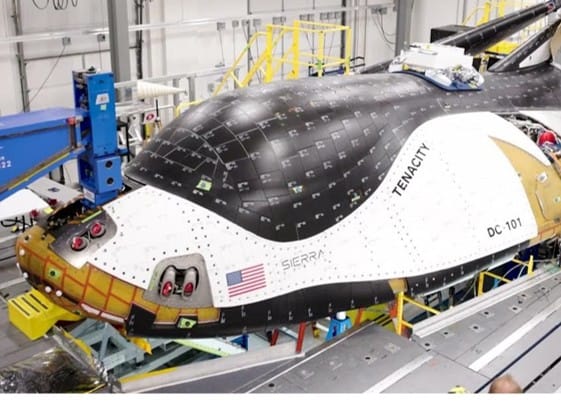
Case Study: Sierra Space Accelerates Engineering Collaboration and Launch Preparation with iQ3Connect

Background

Sierra Space — Aerospace and space technology leader, developer of the Dream Chaser® spaceplane and advanced satellite vehicles.


Challenge

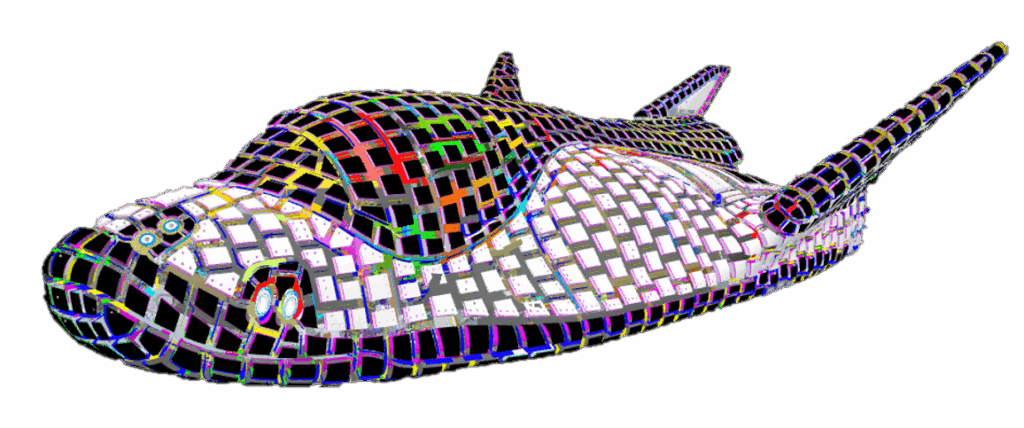
Sierra Space manages some of the world’s most complex engineering projects, including the Dream Chaser® Tenacity, with over one million components. Their teams needed a scalable way to:

  • Visualize and collaborate on massive 3D assemblies, regardless of device or location

  • Minimize costly and time-consuming custom software development

  • Support critical launch preparation and contractual design evaluations across distributed engineering teams


Solution

iQ3Connect delivered a device-agnostic, WebXR-enabled platform for real-time 3D collaboration:

  • Dream Chaser® Tenacity (1M+ components) and full satellite vehicle assemblies now run smoothly in multi-user, multi-device workspaces—including on tablets and smartphones

  • Engineering teams access, review, and manipulate large-scale 3D models instantly—no downloads or custom builds required

  • SSO integration enables secure, organization-wide access; WebXR supports both desktop and mobile experiences


Business Outcomes

  • Dramatic Efficiency Gains:
    Engineering tasks that previously required up to four weeks of custom development can now be completed in as little as four hours.

  • Rapid Adoption and Internal Impact:
    Multiple engineering teams were able to demonstrate the platform internally and externally within hours of receiving training

  • Immediate Program Value:
    Integrated into Tenacity’s digital closeout and launch prep, iQ3Connect has already supported multiple DFX (Design for X) evaluations to fulfill contractual and compliance requirements

  • Enterprise Collaboration Unlocked:
    Teams can review, discuss, and resolve design issues in real time, on any device—speeding up decision-making and reducing barriers to innovation


Conclusion

By leveraging iQ3Connect, Sierra Space has transformed how its teams interact with their most complex digital assets—accelerating engineering cycles, streamlining launch preparation, and fulfilling mission-critical contractual obligations with unmatched speed and flexibility.

Using 3D Digital Twins with Immersive Visualization in the Inspection Industry

Background

The inspection industry plays a crucial role across various sectors, including manufacturing, construction, oil and gas, and infrastructure. Inspections ensure compliance with safety standards, quality control, and maintenance schedules, mitigating risks and enhancing operational efficiency. Traditionally, inspections rely on manual processes and physical presence, which can be time-consuming, costly, and often hazardous. Advancements in reality capture and digital twins provide a strong foundation for 3D 1:1 immersive visualization in Virtual Reality (VR), Augmented Reality (AR), and Mixed Reality (MR). This combination offers innovative solutions for virtualizing inspector training, real-time collaboration, and data analysis visualization, potentially disrupting how inspections are traditionally conducted.


Persistent Digital Twins Creation and Visualization

Inspections generate vast amounts of data, including measurements, photos, and notes. Drones capture detailed lidar data which can be utilized as an accurate 3D foundation for creating digital twins. In addition, many industries have design or CAD drawings that can provide greater detail and accuracy when combined with lidar or scan data. Data capture can also include 360 images and videos that can further enhance the digital twin. Documentation and real-time sensor data can be added to the digital twin to provide live actionable information. A digital twin provides the basis for visualization in immersive reality devices at 1:1 scale creating opportunities for virtualizing inspection applications that traditionally rely on in-person activities. Such digital twins can be accessible 24×7 in a persistent manner for a variety of business applications. Open web-based rendering approaches as Webgl and more advanced WebGPU for rendering provide powerful and scalable software capability for diverse business environments. More recently the WebXR and OpenXR standards provide a unified approach for supporting VR, AR, and MR devices in a vendor agnostic manner eliminating key friction points for business adoption. One example of using web technologies for XR can be viewed live at https://iq3connect.com/xr.


Opportunities


Enhanced Safety, Efficiency, and Reduce Business Disruptions

By reducing the need for physical presence in hazardous areas, a digital twin environment can significantly enhance safety, reduce the cost of travel and moving equipment. The impact is an increase in operational efficiencies and reduction in business disruptions. Inspectors can perform virtual walkthroughs to inspect dangerous or hard-to-reach areas at their own pace, minimizing the risk of accidents. Adding immersive VR and AR to the inspection processes can provide 1:1 scale accurate visualization which cannot be achieved with flat screen approaches. This new modality reduces the need to always be on location and therefore minimizes business disruptions when travel is not feasible.


Inspector Training

Digital twins with immersive training environments can simulate real-world inspection scenarios. VR can create realistic 3D environments where trainees can practice inspections without the constraints of physical locations. For example, a trainee can virtually inspect an oil rig, practicing safety protocols and identifying defects in a controlled setting. AR and MR can enhance on-the-job training by overlaying digital information on physical objects. Inspectors can use AR glasses to receive step-by-step guidance, access technical documents, and visualize internal structures, reducing the learning curve and improving accuracy.


Real-Time Collaboration with Experts

Similarly, a multi-user environment with digital twins can enable real-time collaboration between on-site inspectors, remote experts, and stake holders in various geographic locations. Using AR glasses, an inspector in the field can share their viewpoint with an expert located elsewhere, who can then provide immediate feedback and guidance. This capability is especially valuable in complex or hazardous environments where expert input is critical. Collaborative platforms can further enhance this by allowing remote experts to annotate the inspector’s field of view, highlighting areas of concern, or suggesting corrective actions.


Considerations

While the adoption of immersive technologies in the inspection industry is highly promising, there are a few considerations to keep in mind to fully realize their potential over a period. VR, AR, and MR technologies are advancing rapidly and current hardware limitations, such as resolution, field of view, and battery life, are being improved with each new iteration. Integrating immersive tools and digital twins with current inspection workflows and data management systems is paving the way for faster adoptions of digital inspection capabilities with a more direct impact operational efficiency and business ROI. Further the cost associated with VR, AR, and MR technology is decreasing rapidly as the technology matures and more device choices become available. Finally, cloud computing and 5G networks are making these technologies more accessible, even in remote areas, addressing key pieces for accelerating business adoption.

Adopting new technologies comes with a learning curve and change management. As inspectors and users become more familiar with immersive and digital twins, adoption will accelerate forcing change at various levels in the industry. The inspection industry operates within a framework of strict regulations, and aligning new technologies with these standards is essential. Regulatory bodies are beginning to recognize the advantages of VR, AR, and MR technologies and are working towards developing guidelines and standards to facilitate their use. As the benefits of these technologies become more evident, regulatory acceptance and standardization will inevitably be addressed.


Concluding Remarks

Digital twins created from inspection data can be leveraged repeatedly across multiple applications, and when combined with immersive visualization, offer significant opportunities to transform the inspection industry. Continuous advancements in technology, better business integration, cost reduction, regulatory acceptance, and innovations in AI will inevitably drive quicker adoption in the inspection industry. As key barriers to entry are eliminated, digital twins combined with VR, AR, and MR are set to become integral tools in ensuring higher safety, quality, and efficiency of inspections across various sectors.


This article was featured in NDE Outlook https://source.asnt.org/22d6m27/17

Case Study: Leveraging Virtual Reality for Steel Bridge Construction – Yokogawa Bridge Corporation

Background

Yokogawa Bridge Corporation, a leader in Japan’s steel bridge construction industry, sought innovative solutions to enhance their engineering workflows, improve communication, and reduce errors throughout the design and construction process.


Challenge

Traditional review methods relied on printed drawings and physical meetings, which made it difficult to identify complex design issues early, coordinate among distributed teams, and effectively communicate with clients and partners.


Solution

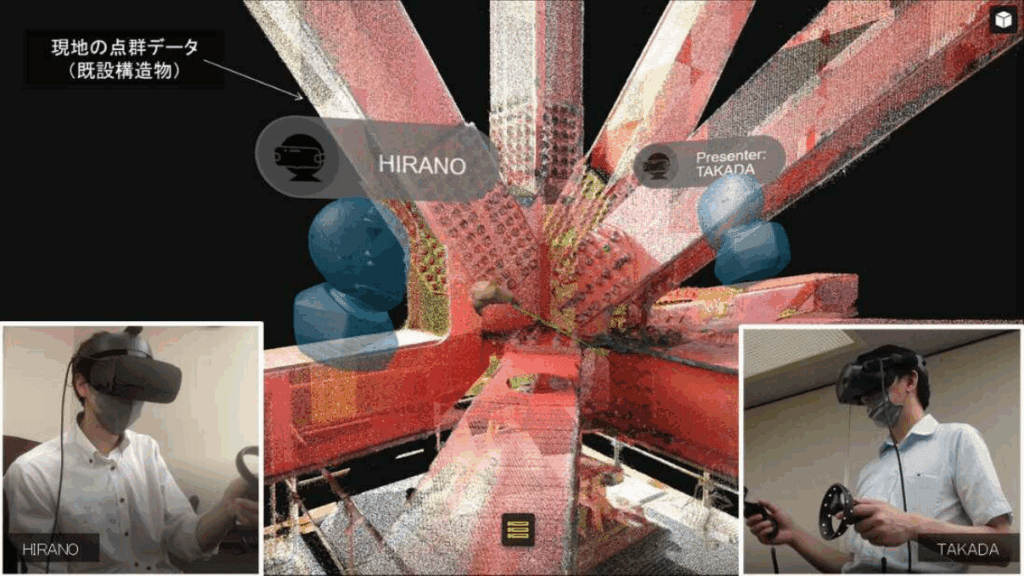
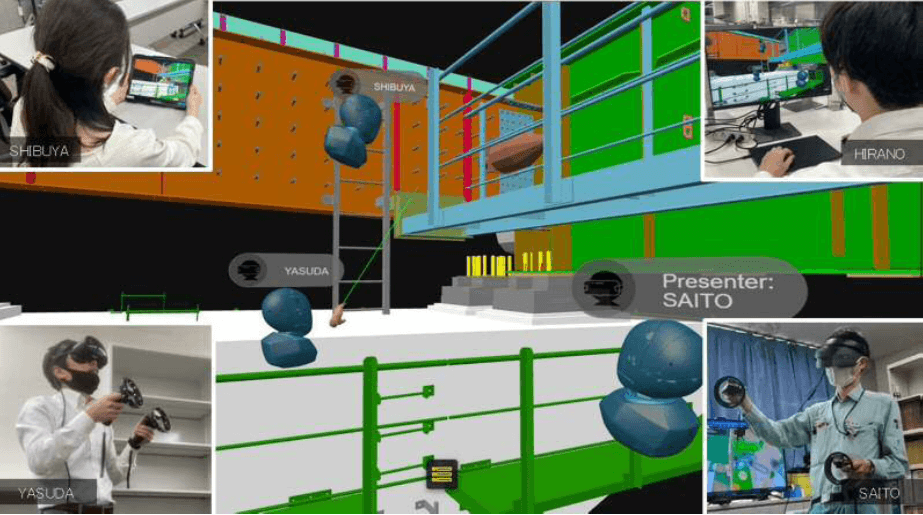
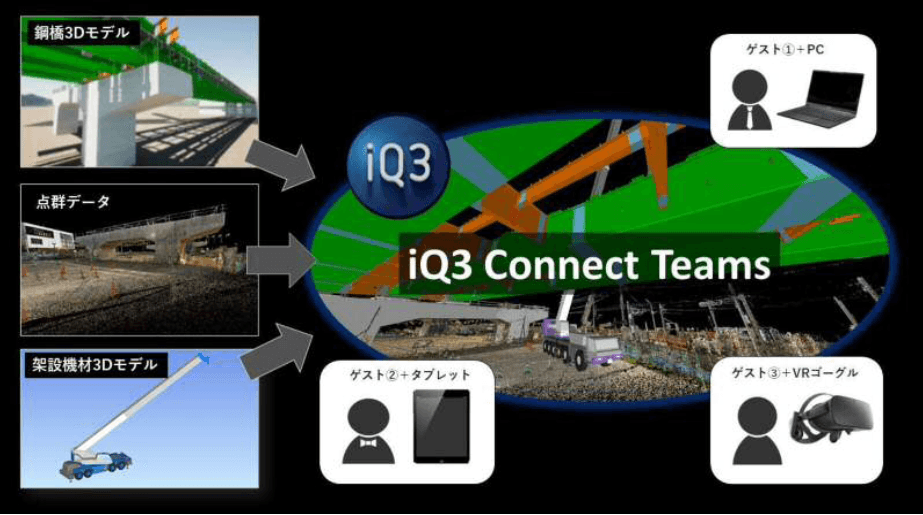
By adopting iQ3Connect’s web-based VR platform, Yokogawa Bridge was able to visualize full-scale 3D models of their steel structures in immersive virtual environments and seamlessly combine CAD with reality capture LIDAR scan data of their sites. Engineers, designers, and stakeholders could now review detailed bridge models collaboratively from any location—using VR headsets, PCs, or tablets—without requiring specialized software or complex installations.


Results

  • Improved Design Review: Teams detected and addressed design inconsistencies and interferences early in the process, reducing costly rework during fabrication and assembly.

  • Enhanced Communication: Virtual meetings in 3D environments enabled clear, intuitive discussions and decision-making among engineers, partners, and clients.

  • Cost & Time Savings: Remote VR sessions eliminated the need for frequent travel and streamlined review cycles, accelerating project delivery.

  • Safer Training: VR also provided a risk-free environment for operator and safety training, further supporting workforce development.


Conclusion

Yokogawa Bridge’s deployment of iQ3Connect’s VR platform marks a significant step in digital transformation for steel construction, setting a precedent for how immersive technology can drive efficiency, safety, and collaboration in complex engineering projects.


Reference: Nikkei Article: “A Bridge Built in Virtual Space” (Japanese)

Icon

Form Submitted!

Thanks for submitting the form. An iQ3Connect representative will be reaching out to you shortly. In the meantime, please feel free to review some of our resources below.

Icon

Form Submitted!

Thanks for submitting the form. An iQ3Connect representative will be reaching out to you shortly. In the meantime, please feel free to review some of our resources below.

Icon

Form Submitted!

Thanks for submitting the form. An iQ3Connect representative will be reaching out to you shortly. In the meantime, please feel free to review some of our resources below.

Icon

Form Submitted!

Thanks for submitting the form. An iQ3Connect representative will be reaching out to you shortly. In the meantime, please feel free to review some of our resources below.