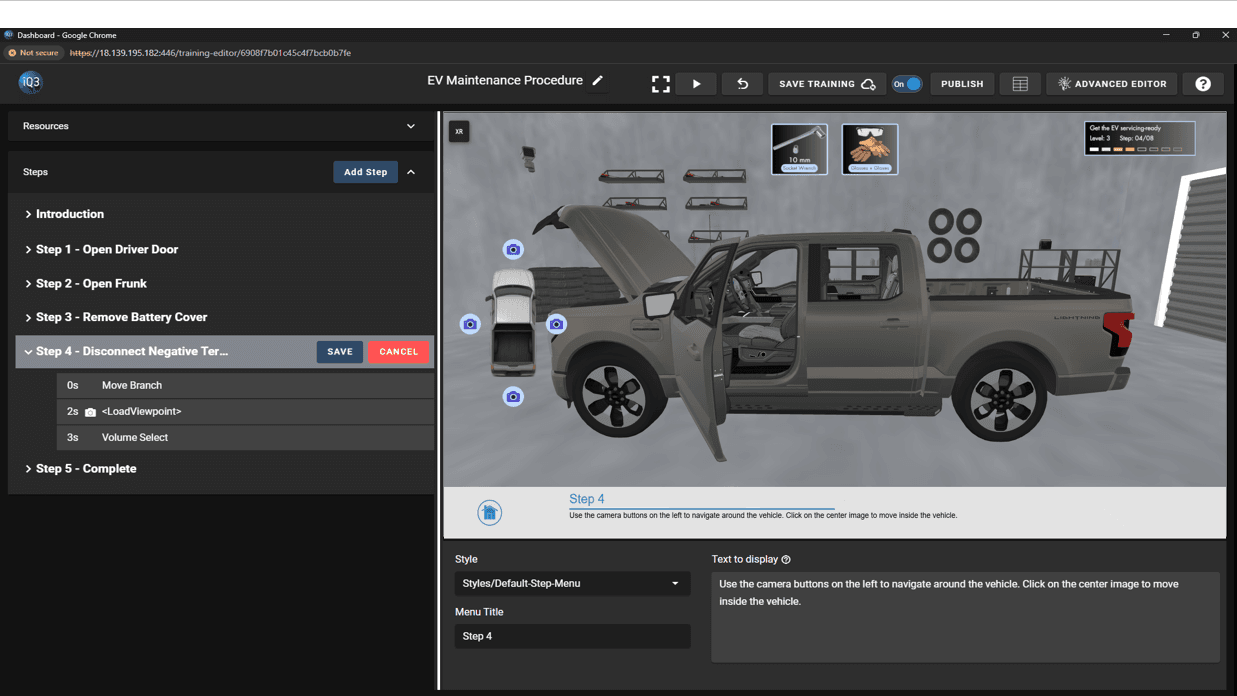
Build VR and AR Training with CAD Models—Streamline Your JT to XR Workflow

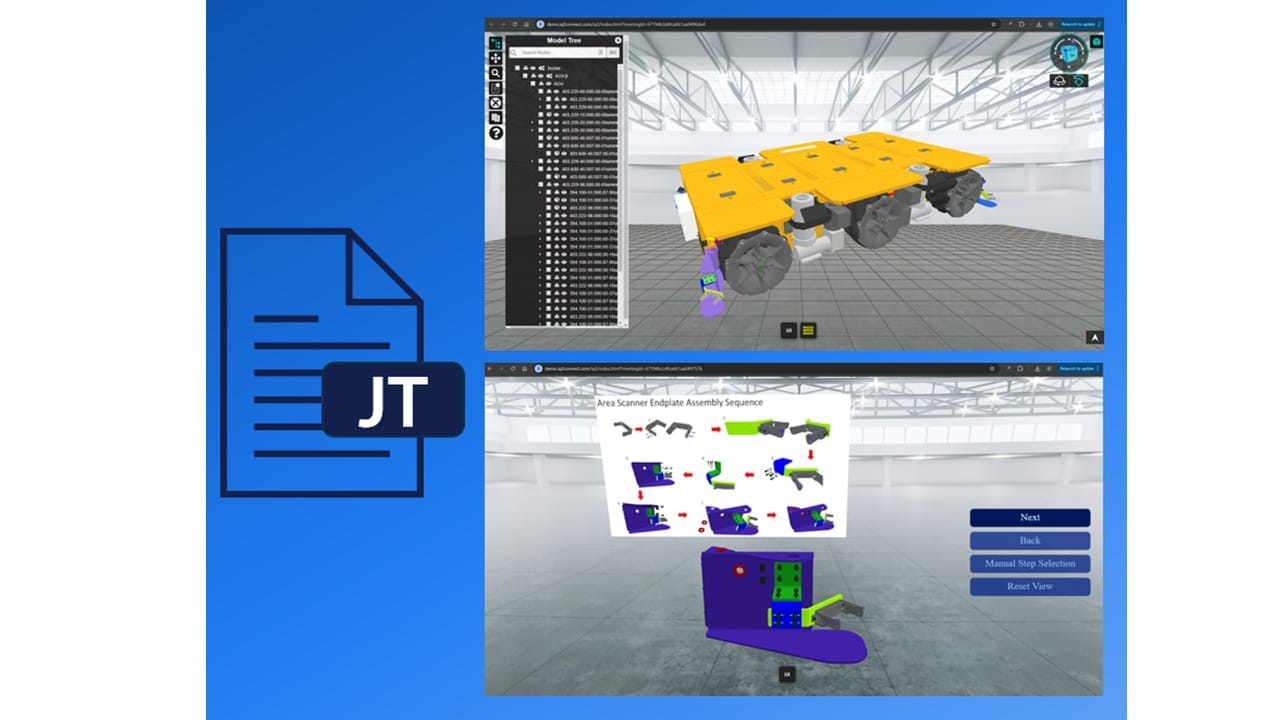
Streamlining VR & AR Training With JT File Support in iQ3Connect

iQ3Connect support for JT files significantly streamlines the process for bringing 3D CAD designs into immersive experiences, whether for real-time collaboration, training, and experience creation. By using this lightweight file format, the CAD-to-XR pipeline, from model export, to data transfer and processing, can be reduced from hours to minutes.


JT files can be exported from most CAD systems such as Siemens NX, Autodesk Inventor, PTC Creo, and Product Lifecycle Management systems such as Siemens Teamcenter.


Key Advantages of JT Files in the CAD-to-XR Workflow

1. Rapid, Automated CAD-to-XR Pipeline
With iQ3Connect’s JT file support, you can import large, complex CAD assemblies into virtual reality or augmented reality in just minutes. Benchmark results show:

  • JT files with 10 million polygons: Import into XR in under 30 seconds.

  • JT files with 100 million polygons: Ready for immersive training in under 10 minutes.

2. Custom Level of Detail for Every Use Case
iQ3Connect lets you define quality settings for each part or assembly. Whether you need high-fidelity visualization for engineering reviews or lightweight models for VR training, JT files support precise optimization.

3. Lightweight & Efficient Data Handling
JT files are specifically designed for efficient data sharing and management, making them perfect for large assemblies and distributed teams. They maintain essential manufacturing information and hierarchy while minimizing file size.

4. Versatile Visualization & Collaboration
Use JT files in iQ3Connect for high-accuracy engineering visualization or optimize for fast, interactive training experiences. The flexibility makes them valuable for manufacturing, automotive, aerospace, and beyond.


Why Use JT Files for VR and AR Training?

So, what are JT files? .JT (Jupiter Tessellation) is an openly-published ISO-standardized 3D data format for visualization and collaboration. JT files are used across industries such as manufacturing, automotive, and aerospace for data exchange, supplier collaboration, and long-term data retention. They encapsulate intricate geometric details and metadata, including geometry, color, and material properties, while maintaining a lightweight structure.


How iQ3Connect Simplifies JT to XR Training Creation

By supporting JT files, iQ3Connect enables:

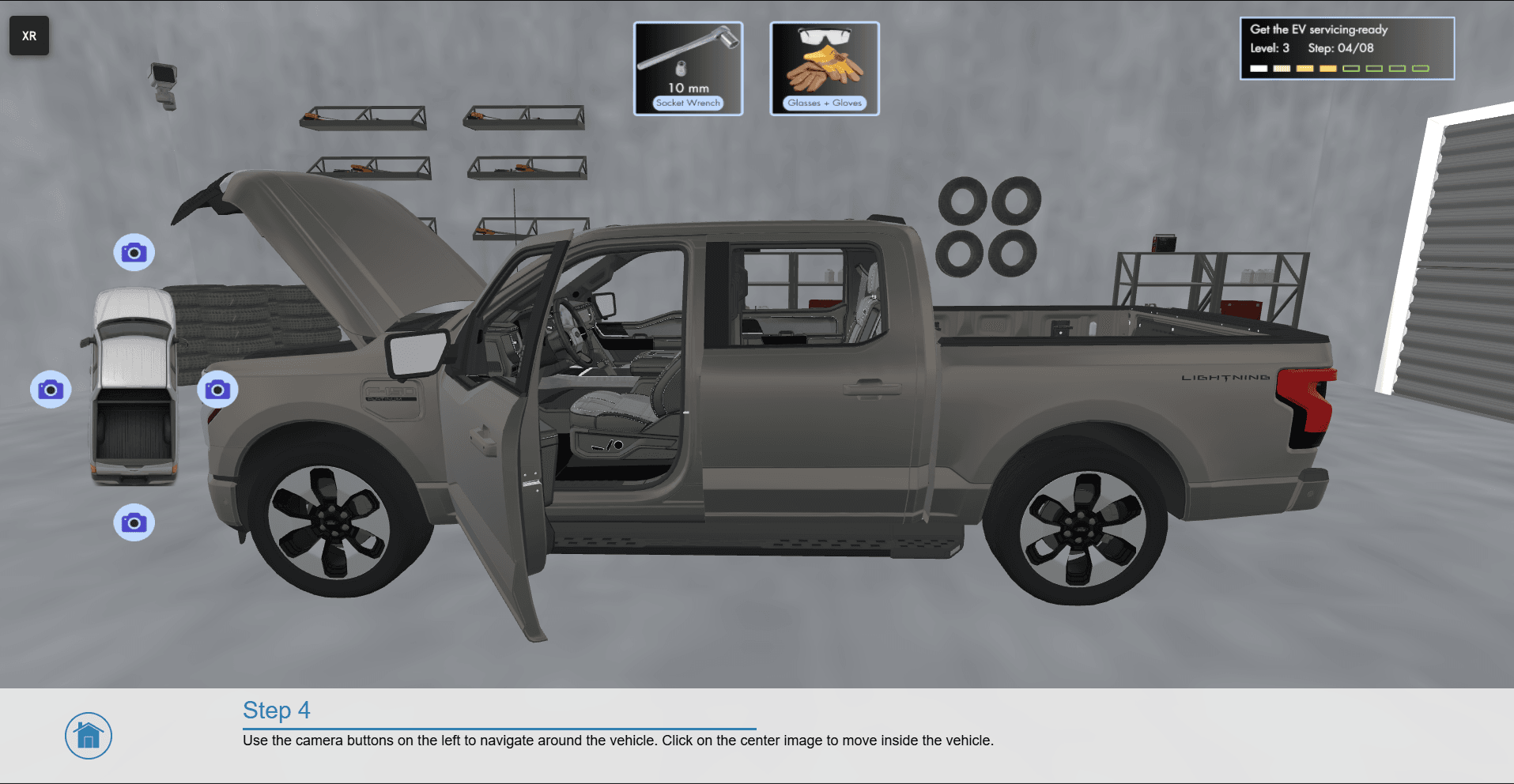
  • One-click import of CAD models for VR and AR training or real-time collaboration

  • Faster CAD-to-XR conversion with minimal manual processing

  • Seamless sharing and review of complex engineering data in immersive environments


Start building your next immersive training or collaboration project with iQ3Connect and JT files—unlock new levels of efficiency, accuracy, and engagement for your team.


Upload your JT files and start creating XR experiences today!
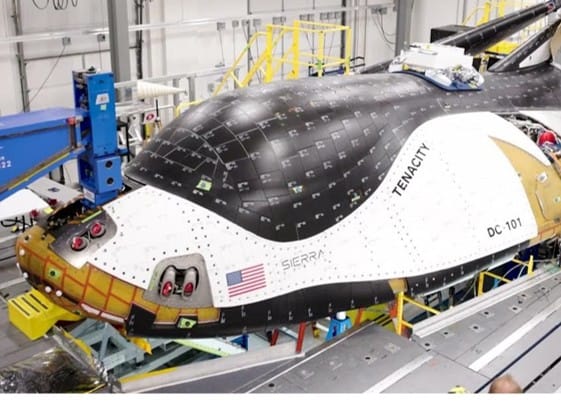
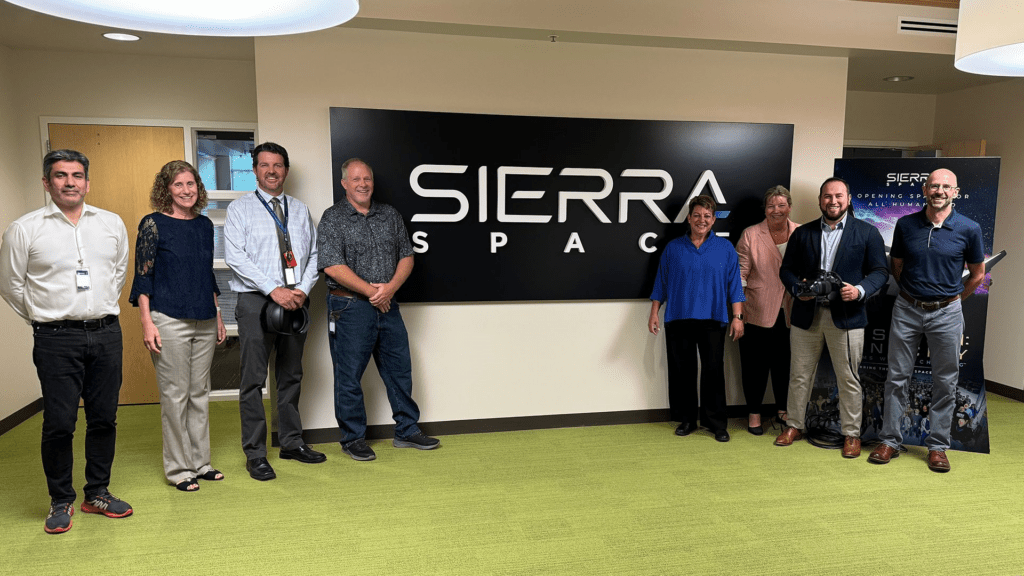
Case Study: Sierra Space Accelerates Engineering Collaboration and Launch Preparation with iQ3Connect

Background

Sierra Space — Aerospace and space technology leader, developer of the Dream Chaser® spaceplane and advanced satellite vehicles.


Challenge

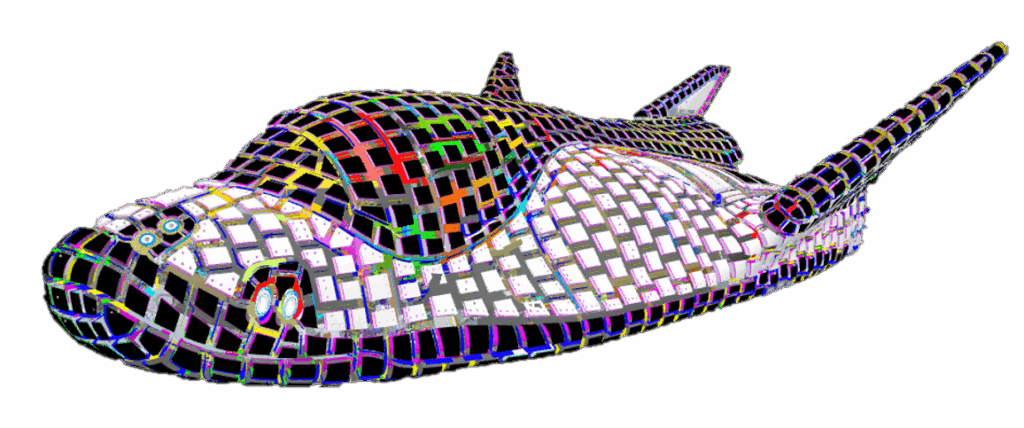
Sierra Space manages some of the world’s most complex engineering projects, including the Dream Chaser® Tenacity, with over one million components. Their teams needed a scalable way to:

  • Visualize and collaborate on massive 3D assemblies, regardless of device or location

  • Minimize costly and time-consuming custom software development

  • Support critical launch preparation and contractual design evaluations across distributed engineering teams


Solution

iQ3Connect delivered a device-agnostic, WebXR-enabled platform for real-time 3D collaboration:

  • Dream Chaser® Tenacity (1M+ components) and full satellite vehicle assemblies now run smoothly in multi-user, multi-device workspaces—including on tablets and smartphones

  • Engineering teams access, review, and manipulate large-scale 3D models instantly—no downloads or custom builds required

  • SSO integration enables secure, organization-wide access; WebXR supports both desktop and mobile experiences


Business Outcomes

  • Dramatic Efficiency Gains:
    Engineering tasks that previously required up to four weeks of custom development can now be completed in as little as four hours.

  • Rapid Adoption and Internal Impact:
    Multiple engineering teams were able to demonstrate the platform internally and externally within hours of receiving training

  • Immediate Program Value:
    Integrated into Tenacity’s digital closeout and launch prep, iQ3Connect has already supported multiple DFX (Design for X) evaluations to fulfill contractual and compliance requirements

  • Enterprise Collaboration Unlocked:
    Teams can review, discuss, and resolve design issues in real time, on any device—speeding up decision-making and reducing barriers to innovation


Conclusion

By leveraging iQ3Connect, Sierra Space has transformed how its teams interact with their most complex digital assets—accelerating engineering cycles, streamlining launch preparation, and fulfilling mission-critical contractual obligations with unmatched speed and flexibility.

Case Study: Leveraging Virtual Reality for Steel Bridge Construction – Yokogawa Bridge Corporation

Background

Yokogawa Bridge Corporation, a leader in Japan’s steel bridge construction industry, sought innovative solutions to enhance their engineering workflows, improve communication, and reduce errors throughout the design and construction process.


Challenge

Traditional review methods relied on printed drawings and physical meetings, which made it difficult to identify complex design issues early, coordinate among distributed teams, and effectively communicate with clients and partners.


Solution

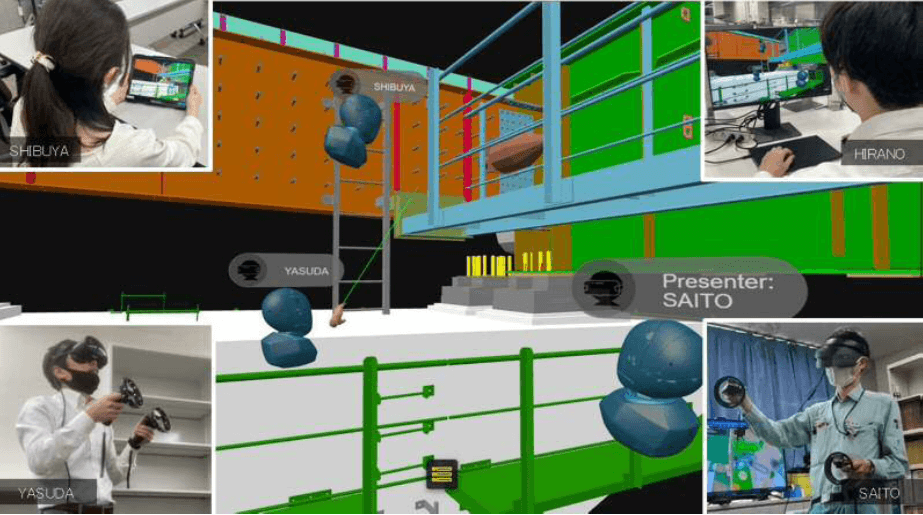
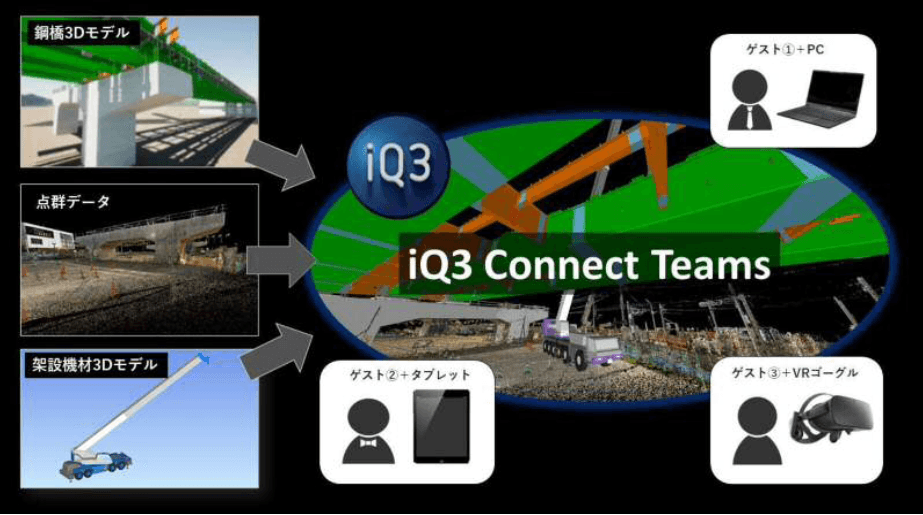
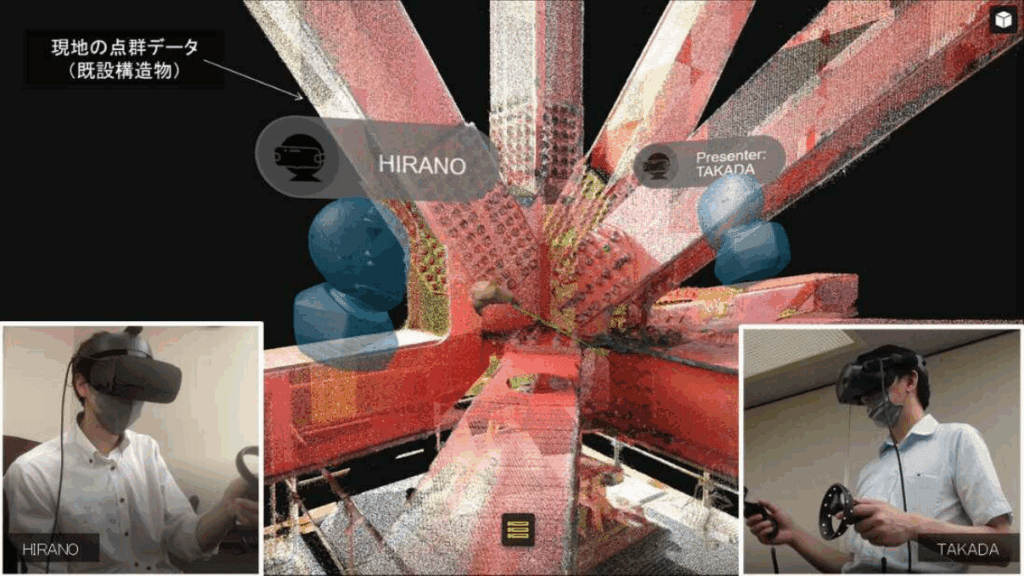
By adopting iQ3Connect’s web-based VR platform, Yokogawa Bridge was able to visualize full-scale 3D models of their steel structures in immersive virtual environments and seamlessly combine CAD with reality capture LIDAR scan data of their sites. Engineers, designers, and stakeholders could now review detailed bridge models collaboratively from any location—using VR headsets, PCs, or tablets—without requiring specialized software or complex installations.


Results

  • Improved Design Review: Teams detected and addressed design inconsistencies and interferences early in the process, reducing costly rework during fabrication and assembly.

  • Enhanced Communication: Virtual meetings in 3D environments enabled clear, intuitive discussions and decision-making among engineers, partners, and clients.

  • Cost & Time Savings: Remote VR sessions eliminated the need for frequent travel and streamlined review cycles, accelerating project delivery.

  • Safer Training: VR also provided a risk-free environment for operator and safety training, further supporting workforce development.


Conclusion

Yokogawa Bridge’s deployment of iQ3Connect’s VR platform marks a significant step in digital transformation for steel construction, setting a precedent for how immersive technology can drive efficiency, safety, and collaboration in complex engineering projects.


Reference: Nikkei Article: “A Bridge Built in Virtual Space” (Japanese)

Icon

Form Submitted!

Thanks for submitting the form. An iQ3Connect representative will be reaching out to you shortly. In the meantime, please feel free to review some of our resources below.

Icon

Form Submitted!

Thanks for submitting the form. An iQ3Connect representative will be reaching out to you shortly. In the meantime, please feel free to review some of our resources below.

Icon

Form Submitted!

Thanks for submitting the form. An iQ3Connect representative will be reaching out to you shortly. In the meantime, please feel free to review some of our resources below.

Icon

Form Submitted!

Thanks for submitting the form. An iQ3Connect representative will be reaching out to you shortly. In the meantime, please feel free to review some of our resources below.