iQ3Connect Product Release v2025.5.12

More Control. Clearer Workflows. Richer AR Experiences.


iQ3Connect v2025.5.12 introduces a new level of control and flexibility in immersive training creation—making it easier to build structured interactions, streamline authoring workflows, and enhance both web and AR experiences. With the introduction of Events and key improvements across core actions, authors can now create more complex, guided interactions within simpler, more organized timelines.

This release is designed to reduce authoring complexity while giving creators greater precision and control over how users interact with training content.


What’s New in v2025.5.12:

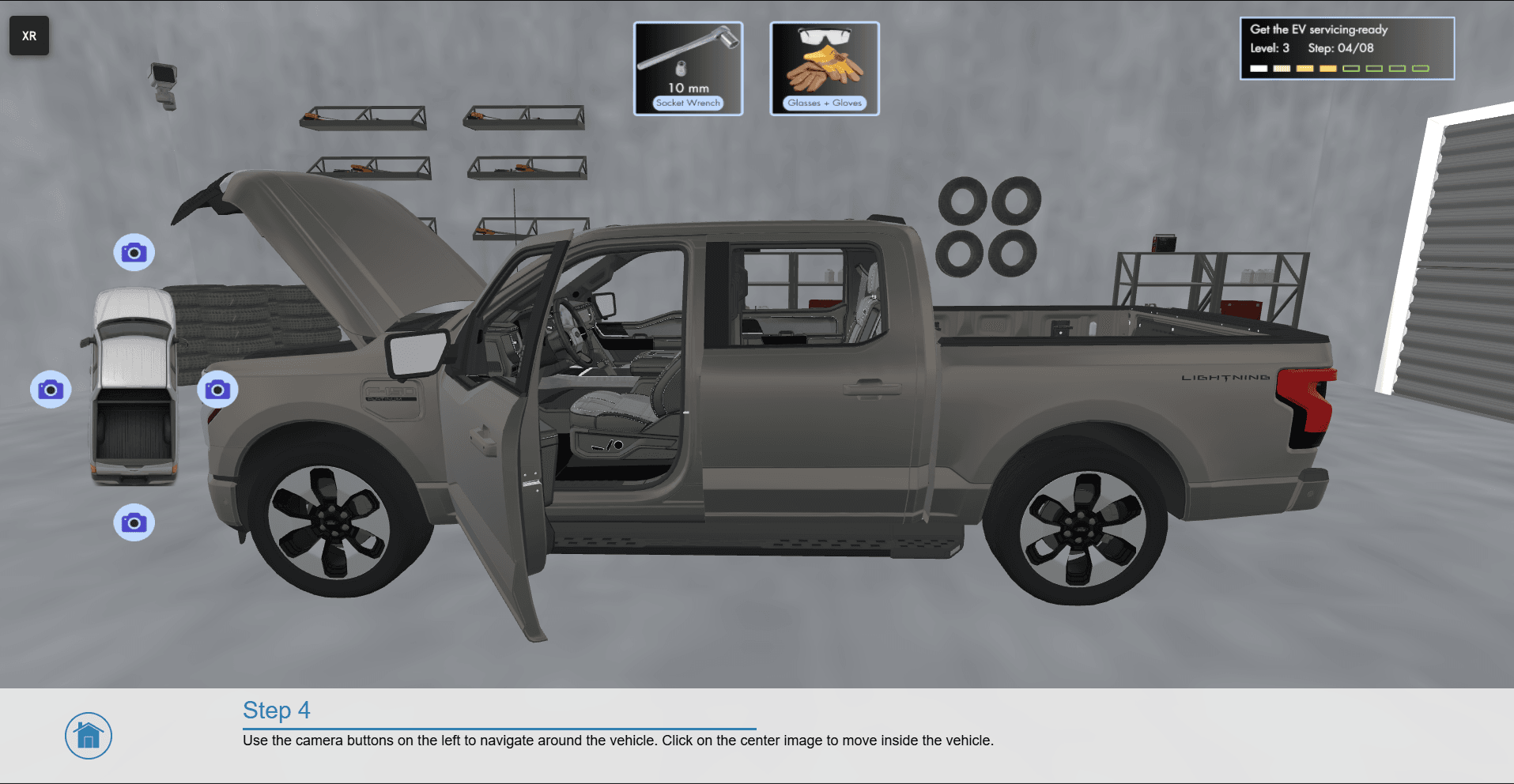
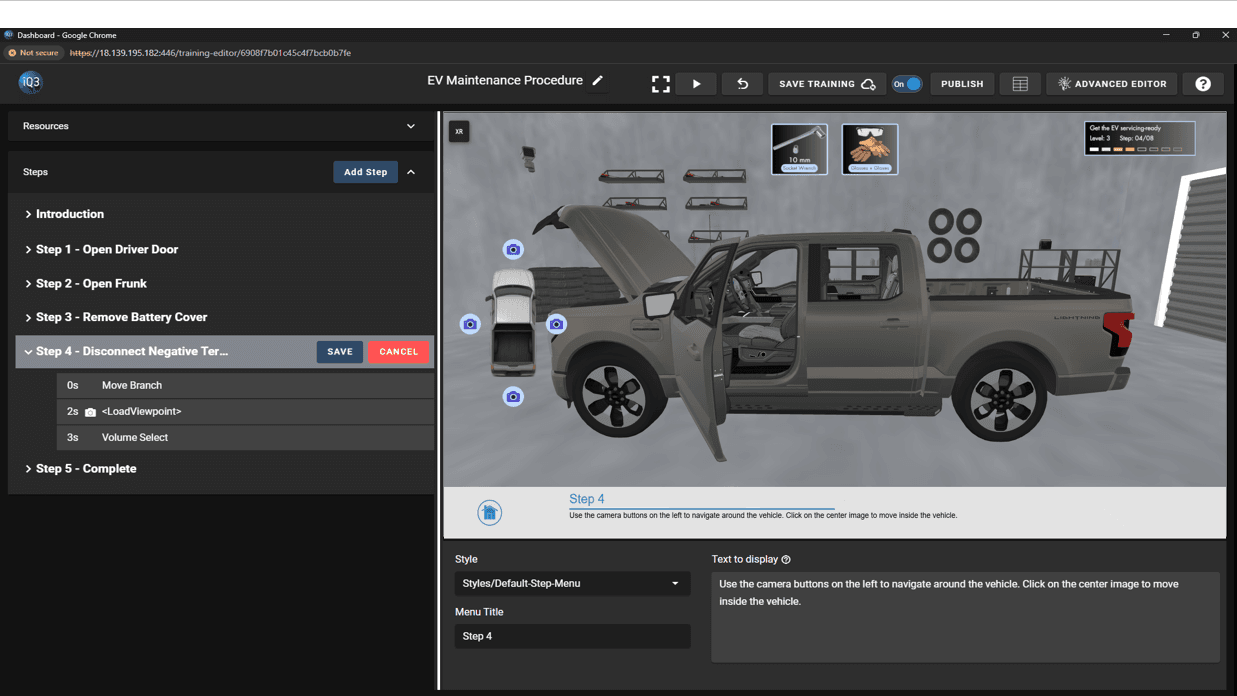
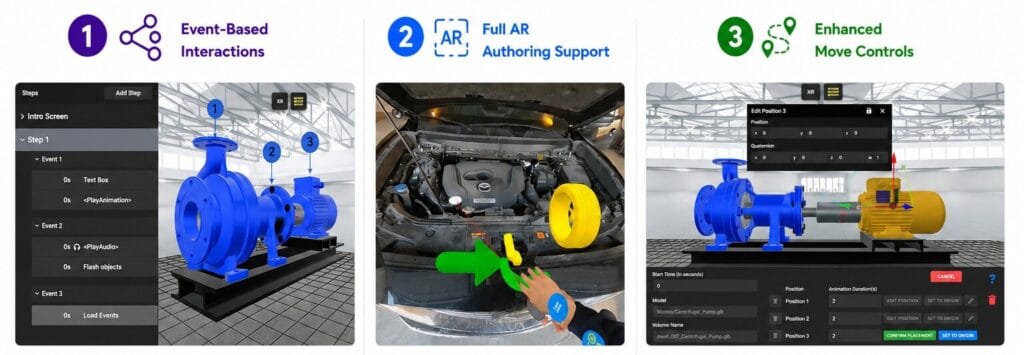
  • Event-Based Interaction System – Create multiple conditional sub-steps within a single Step/Timeline using the new Event mechanism. Events act as containers for Actions that only execute when triggered, allowing for structured, sequential interactions (e.g., step-by-step object removal) without requiring multiple timelines. Events can also be chained together to build complex interaction flows with ease.

  • Full Authoring in AR – Author directly within AR environments with complete functionality—eliminating the need for workarounds or indirect editing methods and enabling a more intuitive and accurate AR workflow.

  • Advanced Move Action Controls – Define multiple movement points within a single Move Object action to create compound animations. Additional enhancements include position-based editing, editable coordinate input, and the ability to reset objects to their origin.

  • Enhanced Viewpoint Management – Save viewpoints directly from the Training Editor and control camera transitions with the new “travel duration” property, enabling smoother and more controlled navigation between viewpoints.

  • Improved Selection Behavior – Maintain object states during and after selection workflows. The Selection action no longer resets visibility during authoring, and applied properties such as highlighting or visibility changes persist after completing the selection.

With v2025.5.12, authors can build more interactive, guided, and efficient training experiences—while simplifying the overall creation and management process.


Request a demo to learn more!
iQ3Connect Product Release v2025.5.9

Faster Authoring. Smarter Deployment. More Interactive Training.


iQ3Connect v2025.5.9 introduces powerful new tools to streamline training creation and delivery. Authors can now add and customize 3D helper objects, build splash screens, menus, and quizzes directly in the Training Editor, and dynamically scale objects with enhanced visual controls. Publishing is now fully integrated into the authoring workflow with one-click deployment, live URL updates, and resource protection—making it easier than ever to create, manage, and deliver immersive training experiences.


Key Features in iQ3Connect v2025.5.9


  • Add and Customize 3D Helper Objects: Users and Authors can now instantly add and customize simple 3D helper objects—such as planes, boxes, spheres, arrows, and more—directly within the iQ3Connect Training Editor and Collaboration Workspace, making it faster and easier to create visual callouts, simple 3D objects, and instructional cues. These objects can be scaled using an interactive triad control and customized with an integrated color picker, including the ability to enter exact HEX values for brand-accurate styling. Helper objects behave like standard XR models (able to be moved, rotated, scaled, highlighted, made transparency, trigger actions, etc.). When part of a Training Module they are automatically organized under Resources > Helper Objects for easy reuse throughout a Training Module.


  • Integrated Splash Screens, Menus, and Quizzes: Authors can now create splash screens, menus, and quizzes directly within the iQ3Connect Training Editor—eliminating the need to design them externally in tools like Blender or PowerPoint. This enhancement streamlines the creation process, reduces setup time, and makes it easier to build polished, interactive training experiences entirely within iQ3Connect.


  • Simplified and Secure Training Deployment: Publishing a training module is now seamlessly integrated into the authoring workflow, enabling authors to deploy training modules with a single click. This updated Publishing workflow creates a live URL link to the Training Module, ensuring that end-users always get the most up-to-date content whenever they access that URL link. Authors can also “Protect” a training module, locking all of the associated resources to prevent accidental edits or deletion.


  • New Scaling Functionality: Dynamically and visually scale 3D objects with the new Scaling tool that has been added to the 2D toolbar and XR Menu. The new scaling tool enables both visual scaling and numerical input.


  • Clone Animations: Animations can now be copied directly within the Training Editor by right-clicking on the Animation resource and selecting the Clone option.


Request a demo to learn more!

Icon

Form Submitted!

Thanks for submitting the form. An iQ3Connect representative will be reaching out to you shortly. In the meantime, please feel free to review some of our resources below.

Icon

Form Submitted!

Thanks for submitting the form. An iQ3Connect representative will be reaching out to you shortly. In the meantime, please feel free to review some of our resources below.

Icon

Form Submitted!

Thanks for submitting the form. An iQ3Connect representative will be reaching out to you shortly. In the meantime, please feel free to review some of our resources below.

Icon

Form Submitted!

Thanks for submitting the form. An iQ3Connect representative will be reaching out to you shortly. In the meantime, please feel free to review some of our resources below.