iQ3Connect Product Release v2025.5.1


Faster, Simpler, and More Intuitive Training Creation
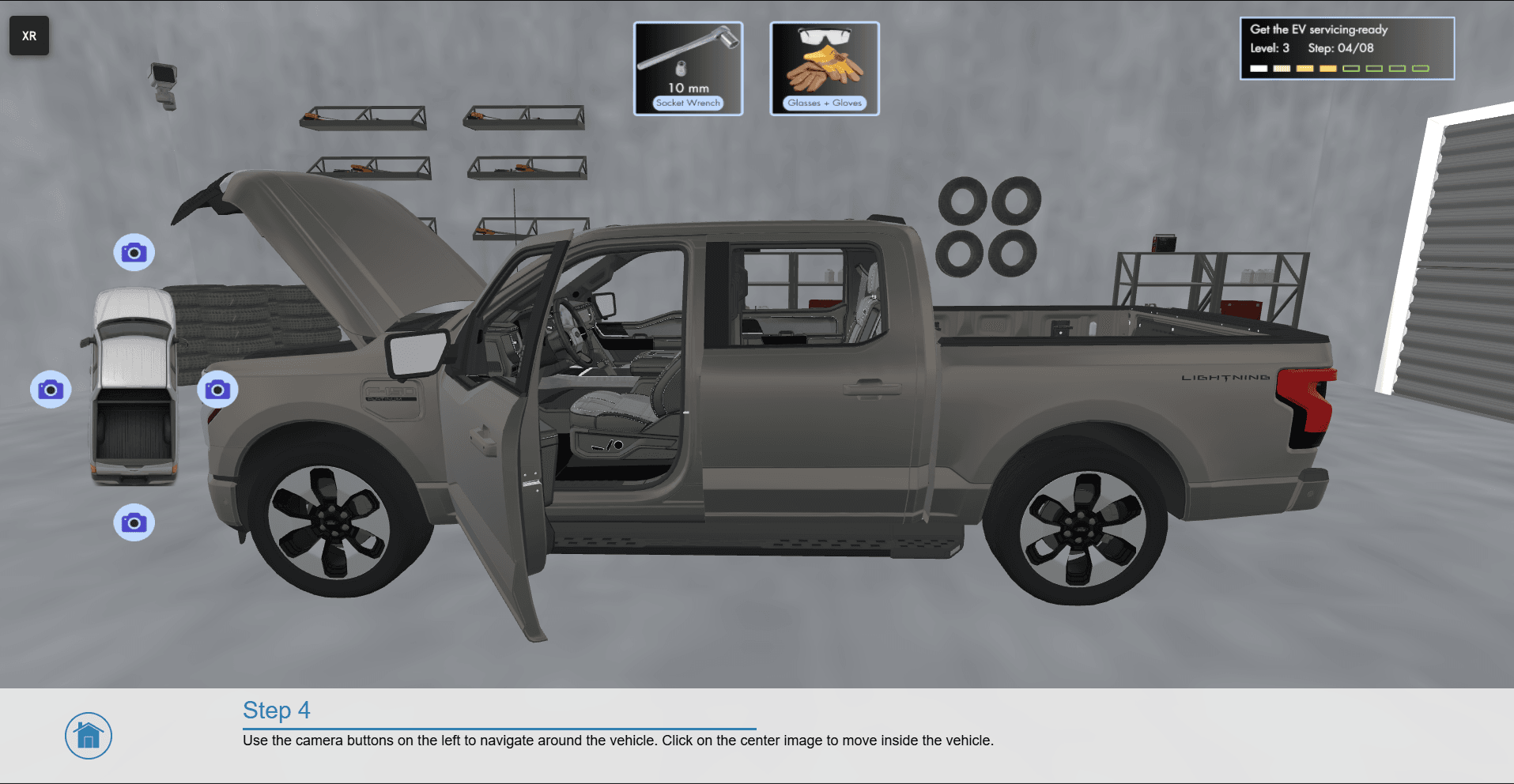
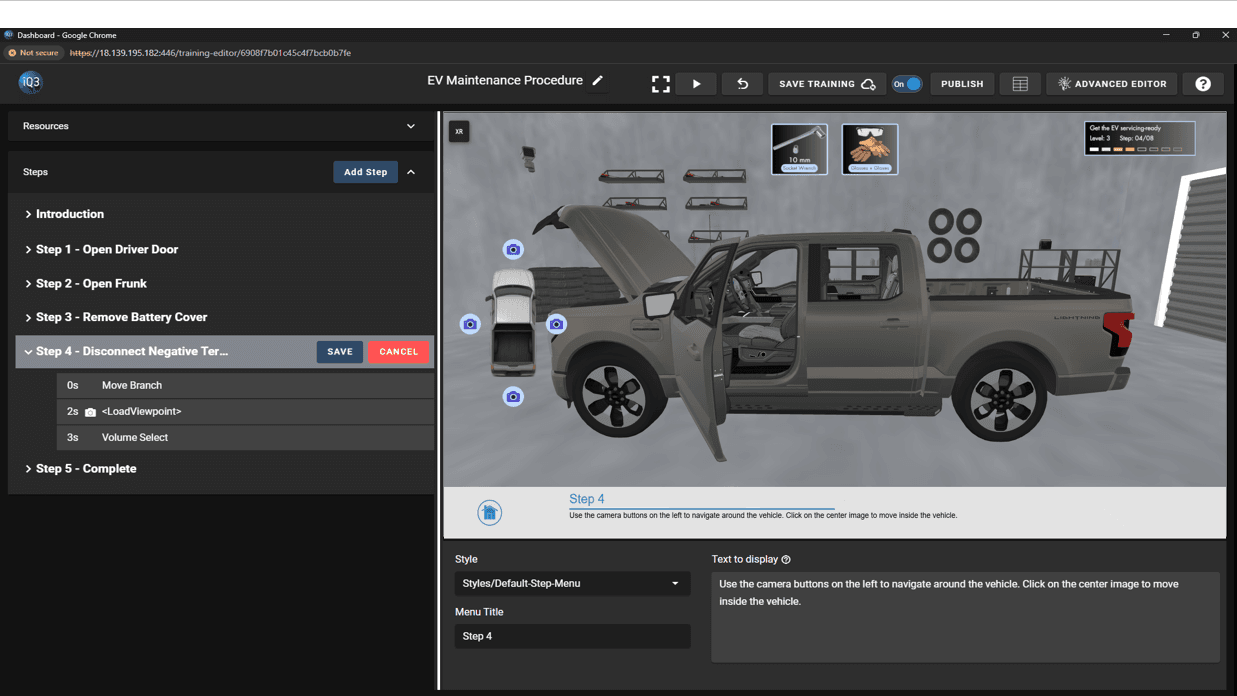
Version 2025.5.1 introduces major usability enhancements designed to make immersive training creation faster and more approachable—while still giving advanced users the flexibility they need. From a redesigned Training Editor to repeatable animations and cleaner trainee interfaces, this release makes it easier than ever to build polished, interactive 3D training experiences.
A New, Simplified Training Editor: Building training modules is now dramatically easier with our redesigned Training Editor. This new Editor introduces a streamlined, step-based workflow that helps authors create content quickly and confidently.
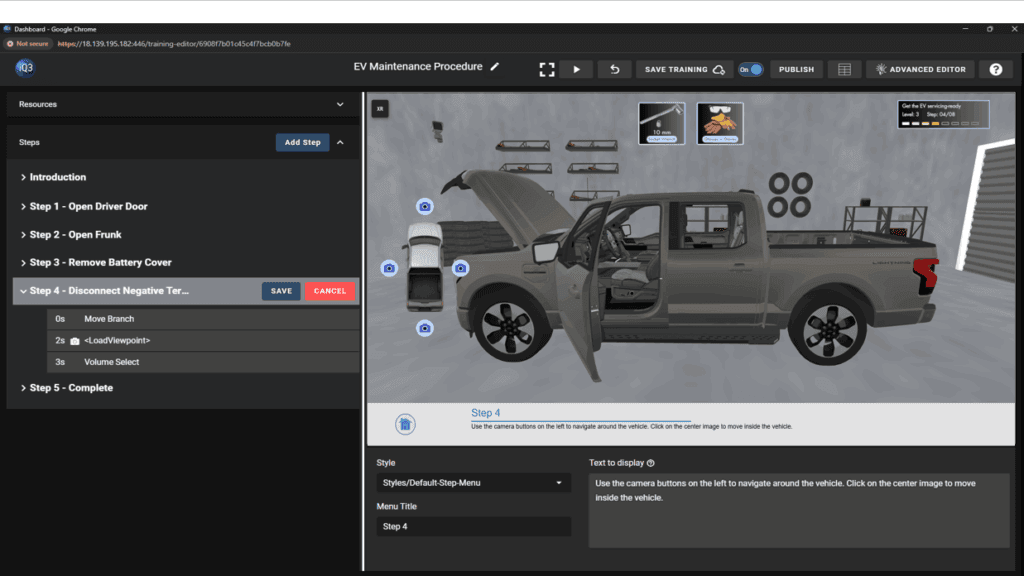
Looping Animations: Animations can now be set to loop automatically, making it simple to create continuous motions such as rotating parts, indicator movements, or background activity.
Easier Setup of Selection-Based Interactions: Defining selection-based interactions is now more intuitive. The updated interface for configuring selection triggers allows authors to easily view, organize, and adjust the conditions that move a trainee from one Step to the next. This makes it simpler to create interactive training flows based on object selections or other user actions.
Explore iQ3Connect v2025.5.1 to experience faster authoring, clearer interactions, and a more intuitive workflow for creating immersive 3D training.
Request a demo to learn more!
Recent News
iQ3Connect Product Release v2026.1.1
The latest iQ3Connect release gives authors greater control over immersive training creation with a new procedure tree view, multi-language authoring, and real-time debugging. Additional improvements to object placement, mobile AR, points of interest, and object properties make training experiences easier to build, translate, and troubleshoot.
Read More
iQ3Connect Product Release v2025.5.12
iQ3Connect v2025.5.12 delivers greater control, clearer workflows, and richer AR experiences for immersive training creators. Explore event-based interactions, full authoring in AR, advanced movement controls, improved viewpoint management, and more intuitive selection behavior.
Read More
iQ3Connect Product Release v2025.5.9
iQ3Connect v2025.5.9 introduces powerful new tools to streamline training creation and delivery. Authors can now add and customize 3D helper objects, build splash screens, menus, and quizzes directly in the Training Editor, and dynamically scale objects with enhanced visual controls. Publishing is now fully integrated into the authoring workflow with one-click deployment, live URL updates, and resource protection—making it easier than ever to create, manage, and deliver immersive training experiences.
Read More